
Key facts
- Brand
- Sharp
- Model
- EL6990
- Category
- Other Electronics
- Industry
- Computers
- Documents
- 4
- Languages
- ES · EN
- Last added
- 2012-08-02
Start here
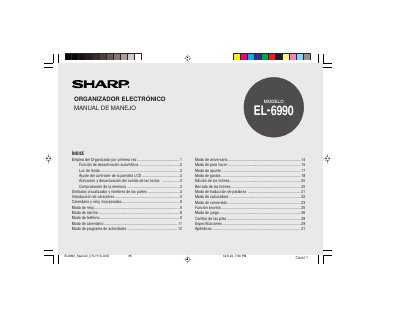
Sharp EL-6990 Electronic Organizer User Manual
The document provides instructions for using the Sharp EL-6990 electronic organizer for the first time, including removing battery isolation sheets and initializing the device. It details how to set up the date and time, configure automatic shutdown features, and adjust screen contrast.
The manual explains various modes of operation such as calendar, alarm, phone, activity program, anniversary, and calculator functions. It also covers character input methods, symbol entry, and list management. This manual is written in Spanish.
Sharp EL6990 specifications
| Compatible Organizers | YO-290, ZQ-290, EL-6990 |
|---|---|
| Minimum RAM (Windows XP) | 128 MB |
| Maximum Entries (YO/ZQ-290) | Tel: 290; other application: 2048 per application |
| Maximum Entries (EL-6990) | Tel: 290; other application: 920 per application |
Source: Sharp PC Interface Software User's Guide for EL-6990/YO-ZQ-290 Organizers
All Sharp EL6990 documents by type
Day-to-day operation, settings and troubleshooting. Start here if the product is already set up.
Questions answered in these manuals
How long does it take for the organizer to turn off automatically?
Approximately 7 minutes of inactivity.
How long does the device remain active before it automatically shuts down to save power?
The organizer automatically deactivates if no key is pressed for approximately 7 minutes.
How long does it take for the organizer to turn off automatically?
The power turns off approximately 7 minutes after no keys have been pressed.
How can I turn the backlight on and off?
Pressing once illuminates the display; pressing again turns it off.
Can I import data from a CE-491W?
Yes, the software enables you to import data files created using a CE-491W.
From: Sharp PC Interface Software User's Guide for EL-6990/YO-ZQ-290 Organizers
What happens if I upload entries from my Organizer?
All entries in the selected application on your PC will be overwritten and deleted by the transferred data.
From: Sharp PC Interface Software User's Guide for EL-6990/YO-ZQ-290 Organizers