
Key facts
- Brand
- Sharp
- Model
- CDBA3100
- Category
- Hi-Fi
- Industry
- Appliances
- Documents
- 2
- Languages
- EN
- Last added
- 2012-08-03
Start here
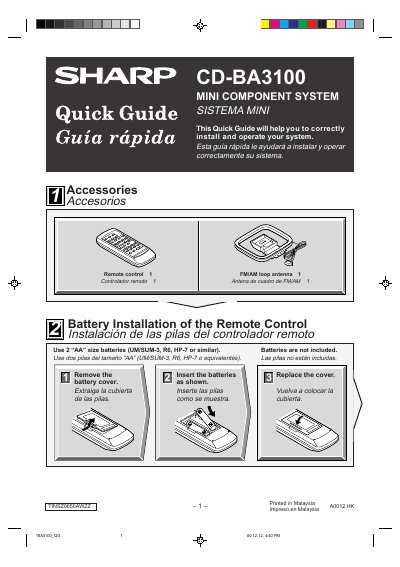
Sharp CD-BA3100 Mini Component System Quick Guide
The document is a multilingual quick guide (English, Spanish) for the Sharp CD-BA3100 Mini Component System. It details how to install batteries in the remote control and describes the necessary steps to remove the transport screw on the back of the unit before connecting power.
Read onlineSharp CDBA3100 specifications
| Model | CD-BA3100 |
|---|---|
| Speaker system model | CP-BA3100 |
| Operating temperature range | 41°F - 95°F (5°C - 35°C) |
| Minimum clearance | 4 in (10 cm) along sides, top and back |
Source: Sharp CD-BA3100 Mini Component System Operation Manual
All Sharp CDBA3100 documents by type
Day-to-day operation, settings and troubleshooting. Start here if the product is already set up.
The shortest path to a working setup, usually only a few pages.
Questions answered in these manuals
What batteries are required for the remote control?
Use 2 "AA" size batteries (UM/SUM-3, R6, HP-7 or similar). Batteries are not included.
How do I cancel the demonstration mode?
Press the X-BASS/DEMO button to cancel the demonstration mode.
What accessories are included with the Sharp CD-BA3100?
A remote control and an FM/AM loop antenna are included.
From: Sharp CD-BA3100 Mini Component System Operation Manual
How much free space should be left around the unit?
Leave at least 4 inches (10 cm) of free space along the sides, top, and back.
From: Sharp CD-BA3100 Mini Component System Operation Manual