
Key facts
- Brand
- Sharp
- Model
- CD-BA120
- Category
- Hi-Fi
- Industry
- Appliances
- Documents
- 2
- Languages
- EN
- Last added
- 2012-08-03
Start here
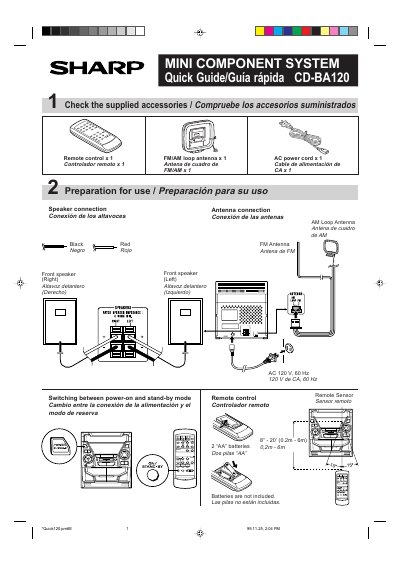
Sharp CD-BA120 Mini Component System Quick Guide
This document is a Quick Guide for the Sharp CD-BA120 Mini Component System. It provides initial setup instructions including checking supplied accessories like the remote control and antennas, and connecting speakers to the front left and right outputs.
The guide details how to operate the device for listening to CDs, tapes, and radio. It also explains sound controls such as volume adjustment and pre-programmed equalizer modes (Flat, Vocal, Rock, Classic, Pops, Jazz) which affect the X-BASS function.
All Sharp CD-BA120 documents by type
Day-to-day operation, settings and troubleshooting. Start here if the product is already set up.
The shortest path to a working setup, usually only a few pages.
Questions answered in these manuals
What batteries are required to power the remote control?
The remote control requires two AA batteries, which are not included with the system.
How far can the remote sensor detect signals from the unit?
The remote sensor has a detection range of 8 to 20 feet (0.2m-6m).
What is the Sharp CD-BA120 Mini Component System?
It consists of a main unit and a speaker system.
How long should the power be left on to clear condensation?
You must leave the power on for about 1 hour until normal playback is possible.