
The Dell Wyse Cloud Client 5010 Quick Start Guide provides installation and usage instructions for the Dell Wyse Cloud Client 5010.
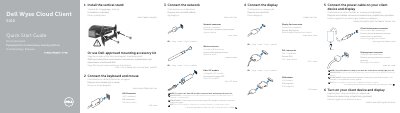
This document serves as a multilingual Quick Start Guide for the Dell Wyse Cloud Client 5010. It provides step-by-step instructions for setting up the device, including connecting the keyboard and mouse, attaching the display via Display Port or DVI-I, installing the vertical stand, and connecting the power and network cables. The guide includes specific notes on removing the Fibre SFP module if applicable.
| Power adapter input | +19V |
|---|---|
| Network port speed | 10/100/1000 Base-T or SFP |
| USB ports | USB 2.0 port (2x) |
| Display connectors | Display Port connector or DVI-I connector |
The client device is ready to use when the client device activity light goes off.
To remove the Fibre SFP module, rotate the latch and unplug it from its slot.