
Key facts
Start here
Dell Precision 3520 3000 Series Quick Start Guide
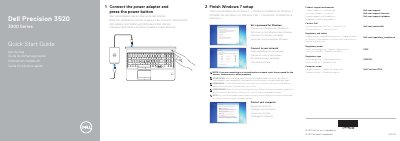
This multilingual Quick Start Guide helps users set up the Dell Precision 3520 computer. It covers connecting the power adapter, pressing the power button, completing Windows 7 setup, setting a Windows password, and connecting to a network.
It also includes notes on secured wireless networks, protecting the computer, product support contacts, and regulatory details. Model identifiers listed include regulatory model P60F, regulatory type P60F001, and computer model Dell Precision 3520.
Dell Precision 3520 specifications
| Computer model | Dell Precision 3520 |
|---|---|
| Regulatory type | P60F001 |
| Rated voltage | 100 - 240 volts |
| Rated frequency | 50 - 60 Hz |
| Rated input current | 1.7 A / 2.5 A |
All Dell Precision 3520 documents by type
The shortest path to a working setup, usually only a few pages.
- Dell Precision 3520 3000 Series Quick Start Guide 2 p
- Dell Precision 3520 3000 Series Quick Start Guide 2 p
- Dell Precision 3520 3000 Series Quick Start Guide 2 p
- Dell Precision 3520 3000 Series Quick Start Guide 2 p
- Dell Precision 3520 3000 Series Quick Start Guide 2 p
- Dell Precision 3520 Quick Start Guide 2 p
Questions answered in these manuals
How do I turn on the Dell Precision 3520?
Connect the power adapter and press the power button.
What do I do for a secured wireless network?
Enter the password for the wireless network access when prompted.
How do I start the computer?
Connect the power adapter and press the power button.
Where can I find product support and manuals?
Visit Dell.com/support and Dell.com/support/manuals.
How do I connect to a secured wireless network?
Enter the password for the wireless network access when prompted.
Where can I find product support and manuals?
Use Dell.com/support and Dell.com/support/manuals.