
Key facts
Start here
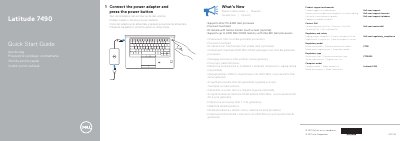
Dell Latitude 7490 Quick Start Guide
This document serves as a Quick Start Guide for the Dell Latitude 7490 laptop. It provides initial setup instructions, including connecting the power adapter and pressing the power button. The guide is presented in multiple languages to assist a global user base.
Read onlineDell Latitude 7490 specifications
| Processor Support | Intel 7th & 8th Gen processor |
|---|---|
| Memory Support | up to 2400 MHz DDR4 memory |
| Input Voltage | 100 V AC–240 V AC |
| Input Frequency | 50 Hz–60 Hz |
| Output Voltage | 19.5 V DC |
| USB Ports | USB 3.1 Gen 1 ports |
All Dell Latitude 7490 documents by type
The shortest path to a working setup, usually only a few pages.
Day-to-day operation, settings and troubleshooting. Start here if the product is already set up.
Disassembly, diagnostics and part numbers, for repair.
Questions answered in these manuals
How do I start the laptop?
Connect the power adapter and press the power button.
Where can I find product support?
Visit Dell.com/support or Dell.com/support/manuals.
What is the regulatory model for the Dell Latitude 7490?
The regulatory model is P73G.
What processor generations does the Dell Latitude 7490 support?
It supports Intel 7th and 8th Gen processors.
How do I start the Dell Latitude 7490?
Connect the power adapter and press the power button.
Where can I find product support and manuals?
Visit Dell.com/support or Dell.com/support/manuals.