
Key facts
Start here
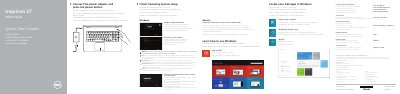
Dell Inspiron 17-5758 Laptop Quick Start Guide
This document serves as a Quick Start Guide for the Dell Inspiron 17-5758 laptop. It provides multilingual instructions for initial setup, including connecting the power adapter, enabling security updates, connecting to a network, and signing into a Microsoft account or creating a local one. The guide also covers specific setup steps for Ubuntu users.
Read onlineDell Inspiron 17-5758 specifications
| Computer model | Inspiron 17-5758 |
|---|---|
| Regulatory model | P28E |
| Regulatory type | P28E001 |
| USB 3.0 ports | 1 |
| USB 2.0 ports | 2 |
All Dell Inspiron 17-5758 documents by type
The shortest path to a working setup, usually only a few pages.
Disassembly, diagnostics and part numbers, for repair.
Questions answered in these manuals
What is the input voltage range for the power adapter?
The input voltage range is 100 V CA–240 V CA.
How many USB 2.0 ports are on the laptop?
There are two USB 2.0 ports on the laptop.
What is the first step to start the laptop?
Connect the power adapter and press the power button.
How do I complete operating system setup?
Follow the instructions on the screen.
Which computer model does this service manual cover?
It covers the Dell Inspiron 17 5000 Series, computer model Inspiron 17–5758, with regulatory model P28E and regulatory type P28E001.
How do I refresh the BIOS?
Turn on the computer, visit dell.com/support, click Product Support, enter the computer's service tag, click Submit, then click Drivers and Downloads, select BIOS from the Category list, expand BIOS, and download the latest BIOS file.