
Dell Inspiron 17-5758 Laptop Quick Start Guide
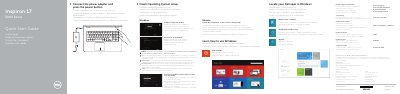
This quick start guide provides the essential setup instructions for the Dell Inspiron 17-5758 laptop. It walks the user through the initial steps of connecting the power adapter, pressing the power button, and completing the operating system setup for Windows or Ubuntu.
The document also serves as a visual reference for the laptop's hardware features, including ports, indicators, and shortcut keys, while providing necessary regulatory and safety compliance details.
| Input voltage | 100 V AC–240 V AC |
|---|---|
| Input frequency | 50 Hz–60 Hz |
| Output voltage | 19.50 V DC |
| Output current | 2.31 A / 3.34 A |
Connect the power adapter and press the power button to begin the setup process.
The regulatory label is located in the battery bay of the laptop.