
Dell Inspiron 17-5758 Laptop Quick Start Guide

Inspiron 17-5758 Laptop Quick Start Guide
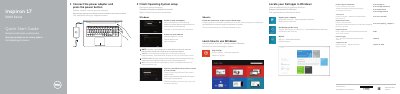

Dell Inspiron 17-5758 Laptop Quick Start Guide - cover page
Brand
DELL
Category
Laptops
Document type
Quick Start Guide
Language
English
Pages
2
File format
PDF
File size
595 KB
Published
22 November, 2023
Updated
22 November, 2023
MD5 checksum
B18773DB6A55367BB2DA4BF916045693

About this manual

This quick start guide for the Dell Inspiron 17-5758 laptop shows how to connect the power adapter, press the power button, and finish operating system setup. It also identifies laptop features and shortcut keys.

The printed guide presents the same steps and feature labels in English, Polish, Russian, and Turkish, and points to Dell support, regulatory, and safety resources.

What's inside

  • Connect the power adapter and press the power button
  • Finish Operating System setup
  • Features
  • Shortcut keys
  • Product support and manuals
  • Regulatory and safety

Specifications

Computer modelInspiron 17-5758
Regulatory modelP28E
Regulatory typeP28E001
USB 3.0 ports1
USB 2.0 ports2

Frequently asked questions

What is the first step to start the laptop?

Connect the power adapter and press the power button.

How do I complete operating system setup?

Follow the instructions on the screen.

Where can I find more specifications?

See Specifications at dell.com/support.

Download PDF (595 KB)

More DELL Manuals


View all DELL manuals →