
This document describes how to set up Windows.
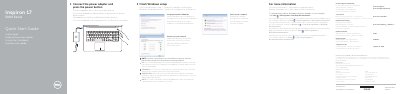
This guide walks through the initial Windows setup on the Dell Inspiron 17-5758 laptop. It explains how to connect the power adapter, press the power button, set up a Windows password, connect to a wired or wireless network, and protect the computer using Dell Help Documentation.
The second page illustrates the laptop's features and shortcut keys, labeling ports, buttons, indicators, and keyboard shortcuts for audio, brightness, display, wireless, and power management.
| Input voltage | 100 V AC–240 V AC |
|---|---|
| Input frequency | 50 Hz–60 Hz |
| Input current | 1.30 A/1.60 A/1.70 A |
| Output voltage | 19.5 V DC |
| Output current | 2.31 A/3.34 A |
| Country of origin | China |
Connect the power adapter and press the power button to begin Windows setup.
During setup, you will be prompted to set up a password for Windows.
When prompted, enter the password for the wireless network access.
The Service Tag label is located on the bottom of the laptop (item 21 in the features diagram).