
Key facts
- Brand
- Casio
- Model
- QV-R4
- Category
- Digital cameras
- Industry
- Electronics
- Documents
- 3
- Languages
- EN · ZH
- Last added
- 2012-06-06
Start here
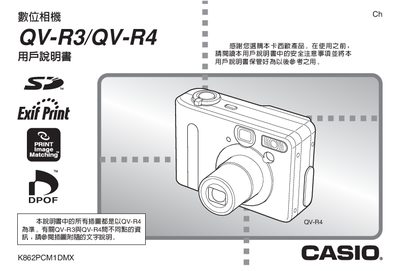
CASIO digit cameraQV-R3/QV-R4 user manual
This manual covers everything needed to operate the Casio QV-R3 and QV-R4 digital cameras, from safety precautions and unpacking to advanced shooting modes. It includes step‑by‑step guidance for power management, battery charging, and configuring the built‑in clock and world‑time settings.
Additional sections describe image capture options such as auto‑focus, manual focus, white‑balance, and special shooting functions like Coupling Shot, Pre‑shot, and night‑scene mode. The guide also explains memory card usage, CD‑ROM software installation, and how to view, print, or transfer photos via USB.
Casio QV-R4 specifications
| Effective Pixels (QV-R3) | 3.20 million pixels |
|---|---|
| Effective Pixels (QV-R4) | 4.00 million pixels |
| Monitor Screen Size | 1.6-inch TFT color LCD |
| Optical Zoom | 3X |
| Digital Zoom | 3.2X |
| Built-in Flash Memory (QV-R4) | 11MB |
All Casio QV-R4 documents by type
Day-to-day operation, settings and troubleshooting. Start here if the product is already set up.
Questions answered in these manuals
What is the difference between QV-R3 and QV-R4?
The main difference is the effective pixel count, with the QV-R4 having 4.00 million pixels compared to the QV-R3's 3.20 million.
Can I record images without a memory card?
Yes, the camera includes built-in flash memory that allows recording without using an external card.
How do I connect the camera to a computer?
Open the USB port on the camera and connect the supplied USB cable to a computer’s USB port.
What type of battery does the QV-R3/QV-R4 use?
The camera uses a lithium‑ion rechargeable battery, part number NP‑30.
How do I charge the QV‑R3/QV‑R4 camera?
Use the dedicated NP‑30 lithium‑ion rechargeable battery together with the BC‑20 charger supplied with the camera.
What is the approximate battery life for each model?
QV‑R3 provides about 120 minutes (720 shots) and QV‑R4 about 110 minutes (660 shots) of continuous shooting.