
Key facts
- Brand
- Casio
- Model
- QV-5700
- Category
- Digital cameras
- Industry
- Electronics
- Documents
- 4
- Languages
- EN · JA · ZH
- Last added
- 2012-06-06
Start here
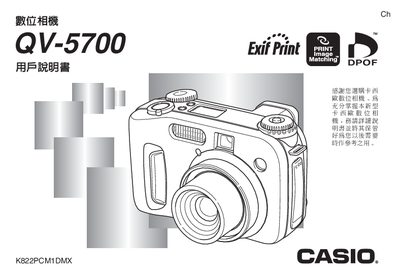
Casio QV-5700 Digital Camera User Manual
This manual explains the basic operation of the Casio QV-5700 digital camera, covering topics such as power requirements, battery installation, and how to capture images using various shooting modes. It also details the use of the built‑in flash, focus options, and playback functions.
Additional sections describe how to connect the camera to external devices, print images, and troubleshoot common issues. The document includes specifications for the LCD screen, shutter speed range, lens aperture, and battery performance. This manual is written in Japanese.
Casio QV-5700 specifications
| Weight (without battery) | ≈ 355 g |
|---|---|
| Battery type | Four AA rechargeable batteries (AA型充電電池) |
| LCD screen | 1.8‑inch TFT, 122,100 pixels (555 × 220) |
| Shutter speed range | 1/2 s – 1/1000 s |
| Lens aperture range | F2.0 – F8.0 |
All Casio QV-5700 documents by type
Day-to-day operation, settings and troubleshooting. Start here if the product is already set up.
Questions answered in these manuals
What is the maximum angle for holding a portrait-oriented camera to prevent sensor errors?
You should not allow the camera to be more than about 20 degrees off of vertical.
What is the maximum angle for pointing a camera up or down to prevent sensor errors?
You should not allow the camera to point more than about 60 degrees up or down.
What type of batteries does the QV-5700 use?
It uses four AA rechargeable batteries.
How can I set the date and time on the camera?
Use the "設定目前日期及時間" menu to adjust the date and time.
What does a red indicator light mean?
A red light indicates that automatic focus has failed or that the flash is currently charging.
How can I change the exposure mode?
Rotate the exposure mode selector knob to choose between manual, aperture priority, shutter priority, program, and other modes.