
Key facts
- Brand
- Casio
- Model
- QV-3500EX
- Category
- Digital cameras
- Industry
- Electronics
- Documents
- 2
- Languages
- EN
- Last added
- 2012-06-06
Start here
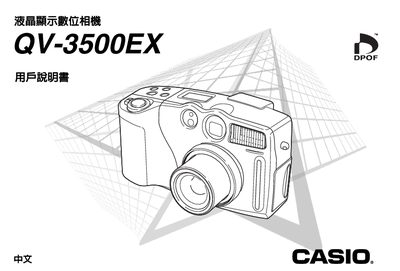
Casio QV-3500EX Digital Camera User Manual
This manual explains how to set up, operate, and maintain the Casio QV-3500EX digital camera. It covers power management, recording modes, playback functions, and connectivity options.
The document also lists technical specifications such as dimensions, weight, battery type, and supported memory media, helping users understand the camera's capabilities and requirements.
Casio QV-3500EX specifications
| Dimensions (W x H x D) | 134.5 x 80.5 x 57.5 mm |
|---|---|
| Weight | 320 g |
| Memory Card | 8 MB CompactFlash |
| USB Interface | USB (Windows, Macintosh) |
| Video Output | NTSC, PAL |
All Casio QV-3500EX documents by type
Day-to-day operation, settings and troubleshooting. Start here if the product is already set up.
Questions answered in these manuals
How do I set the date and time?
Align the POWER/Function Switch with REC or PLAY, press MENU, select 'Date Style', adjust digits using the keys, and press SET/DISP.
Can I delete time stamps from images?
No. Once an image is stamped with the date and time, it cannot be deleted.
What are the dimensions of the QV-3500EX?
The camera measures 134.5 mm wide, 80.5 mm high, and 57.5 mm deep.
Which memory card format is supported?
It supports an 8 MB CompactFlash memory card.