
Key facts
- Brand
- Casio
- Model
- EX-Z3
- Category
- Digital cameras
- Industry
- Electronics
- Documents
- 4
- Languages
- EN · ZH
- Last added
- 2012-06-06
Start here
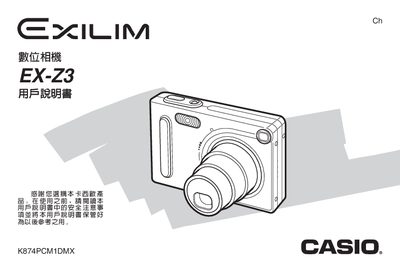
Casio EX-Z3 Digital Camera User Manual
This manual guides users through unpacking, battery charging, and basic shooting functions of the Casio EX‑Z3 digital camera. It covers menu navigation, image size and quality settings, flash usage, and special features such as Best Shot and histogram display.
Later sections explain file management, USB and CD‑ROM connectivity, power requirements, and troubleshooting. Detailed specifications for the camera body, battery, and accessories are listed at the end of the document.
Casio EX-Z3 specifications
| Camera dimensions (mm) | 87 × 57 × 22.9 mm |
|---|---|
| Camera weight (g) | ≈16 g |
| Battery type | NP‑20 rechargeable |
| Battery nominal voltage | 3.7 V |
| Battery capacity | 680 mAh |
| Power input voltage | 100‑240 V AC |
| Power input frequency | 50‑60 Hz |
| Power input current | 83 mA |
| USB base dimensions (mm) | 106 × 42 × 59.5 mm |
| USB base weight (g) | ≈638 g |
| USB output voltage | 5.3 V DC |
| USB output current | 650 mA |
All Casio EX-Z3 documents by type
Day-to-day operation, settings and troubleshooting. Start here if the product is already set up.
Questions answered in these manuals
What battery is required for the Casio EX-Z3?
The camera uses a rechargeable lithium ion battery (NP-20).
Can I rotate images on the display?
Yes, you can rotate the display image using the camera's menu functions.
How do I charge the battery?
Charge the NP‑20 battery before using the camera.
What type of battery does the EX‑Z3 use?
The camera uses a rechargeable NP‑20 battery.
How do I charge the camera?
Place the camera on the USB base and connect the power adapter; the [CHARGE] lamp turns green when charging is complete and flashes red if there is a charging error.
How do I switch between recording and playback modes?
Press the [MENU] button to display the mode selector; choose REC for recording or PLAY for playback.