
This document is a basic reference for the Casio EX-Z3 digital camera, providing information on the various parts of the camera, quick reference, menu command list, troubleshooting, precautions, and included accessories.
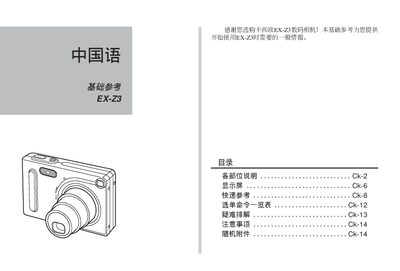
The guide introduces the EX-Z3 camera, describing each part of the front and rear, quick‑reference functions, menu command list, and troubleshooting tips. It also explains how to operate the camera in REC and PLAY modes, adjust shooting settings, and interpret indicator lights.
Additional sections cover the supplied accessories such as the USB base, battery compartment, tripod mount, and storage card slot, as well as safety precautions, battery charging procedures, and warranty information. This manual is written in Chinese.
| Maximum image resolution | 2048 x 1536 pixels |
|---|---|
| Image quality modes | FINE, NORMAL, ECONOMY |
| Battery type | Lithium‑ion rechargeable (NP‑20) |
| Power input | DC 5.3 V via USB base |
Place the camera on the USB base and connect the power adapter; the [CHARGE] lamp turns green when charging is complete and flashes red if there is a charging error.
Press the [MENU] button to display the mode selector; choose REC for recording or PLAY for playback.