
Key facts
- Brand
- Casio
- Model
- EX-Z350
- Category
- Digital cameras
- Industry
- Electronics
- Documents
- 2
- Languages
- EN · JA
- Last added
- 2012-06-06
Start here
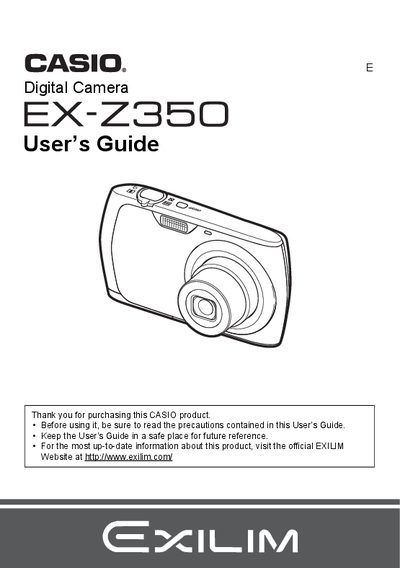
casio digital camera EX-Z350 User s Guide
This manual serves as a comprehensive guide for the Casio EX-Z235 digital camera. It details how to unpack the device, charge the NP-80 battery using the BC-81L charger, and configure initial settings such as date/time and language preferences.
The document covers essential operations including snapshot shooting with various modes like Face Detection and BEST SHOT, recording movies and audio, and utilizing advanced features such as digital zoom, image review, and histogram exposure checking. It also explains how to view images on a TV screen, transfer files to a computer via USB or Eye-Fi cards, and perform maintenance tasks like formatting memory cards.
Casio EX-Z350 specifications
| Battery nominal voltage | 37 V |
|---|---|
| Battery capacity | 700 mAh |
| Battery operating temperature range | 0 °C to 40 °C |
| Battery dimensions (W × H × D) | 31.4 mm × 39.5 mm × 5.9 mm |
| Battery weight | ≈19 g |
| Charger input voltage | 100‑240 V AC |
| Charger output voltage | 4.2 V DC |
| Charging time | 210 minutes |
| Charger dimensions (W × H × D) | 52 mm × 20 mm × 79 mm |
| Charger weight | ≈50 g |
All Casio EX-Z350 documents by type
Day-to-day operation, settings and troubleshooting. Start here if the product is already set up.
Questions answered in these manuals
What is the rated voltage of the NP-80 battery?
The rated voltage for this rechargeable lithium ion battery is 3.7V.
How long does it take to fully charge the NP-80 battery?
It takes 210 minutes to charge the battery using the BC-81L charger unit.
How do I charge the EX‑Z350 battery?
Insert the NP‑80 battery into the camera and connect the BC‑81L charger to an AC source (100‑240 V). The charger outputs 4.2 V DC at 300 mA and fully charges the battery in about 210 minutes.
How can I set the date, time, and language on the camera?
Use the menu to access the clock settings, where you can adjust the time, date format, and select the desired language.