
Key facts
- Brand
- Casio
- Model
- EX-Z200
- Category
- Digital cameras
- Industry
- Electronics
- Documents
- 4
- Languages
- EN · ZH · JA
- Last added
- 2012-06-06
Start here
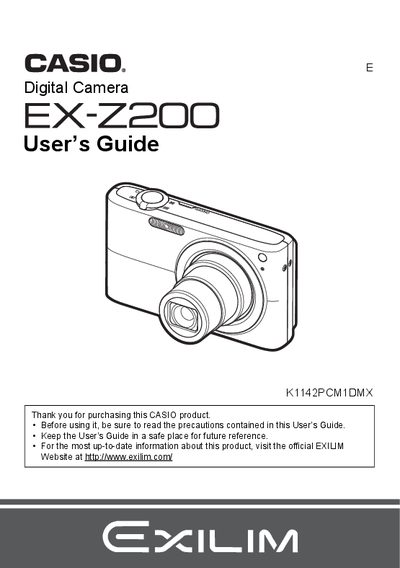
Casio EX-Z200 Digital Camera User's Guide
This manual provides comprehensive instructions for using the Casio EX-Z200 digital camera. It covers essential topics such as unpacking the device, charging the NP-40 battery, and preparing a memory card. The guide details snapshot shooting techniques including face recognition, smile detection, and various auto-shutter modes.
Read onlineCasio EX-Z200 specifications
| Battery type | NP‑40 lithium‑ion rechargeable battery |
|---|---|
| Battery capacity | 1300 mAh |
| Battery voltage | 3.7 V |
| Battery charging time | ≈150 minutes |
| Charger model | BC‑31L |
| Charger input voltage | 100‑240 V AC, 50/60 Hz |
| Charger output voltage | 4.2 V DC, 600 mA |
| Operating temperature (camera) | 0 °C to 40 °C |
| Operating temperature (charger) | 5 °C to 35 °C |
| Camera dimensions (W×H×D) | 38.5 mm × 38.0 mm × 9.3 mm |
| Camera weight | ≈34 g |
| Charger dimensions (W×H×D) | 55 mm × 20 mm × 86 mm |
| Charger weight | ≈58 g |
Source: CASIO digit cameraEX-Z200 Manual
All Casio EX-Z200 documents by type
Day-to-day operation, settings and troubleshooting. Start here if the product is already set up.
Questions answered in these manuals
What memory cards are supported?
The manual lists a section on 'Supported Memory Cards' but does not specify the exact types in the provided text.
How do I format a new memory card?
You can format (initialize) a new memory card using the instructions on page 14 of the manual.
What memory cards are supported?
The manual lists a section on 'Supported Memory Cards' but does not specify the exact types in the provided text.
How do I format a new memory card?
You can format (initialize) a new memory card by following the instructions in the manual under 'To format (initialize) a new memory card'.
How do I format a memory card?
Select the Format (初始化) option in the menu to format the internal memory or an inserted memory card.
What battery does the EX‑Z200 use?
The camera uses an NP‑40 lithium‑ion rechargeable battery.