
Key facts
- Brand
- Casio
- Model
- EX-P700
- Category
- Digital cameras
- Industry
- Electronics
- Documents
- 3
- Languages
- EN · ZH · JA
- Last added
- 2012-06-06
Start here
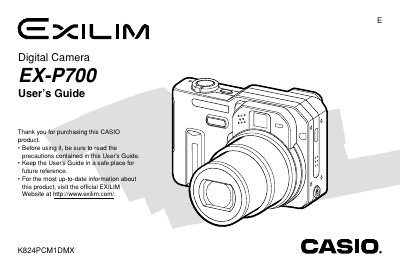
Casio EX-P700 Digital Camera User's Guide
This document is the official User's Guide for the Casio EX-P700 digital camera. It provides comprehensive instructions on setting up the device, including charging the NP-40 battery and using the BC-30L rapid charger. The guide details how to record images in various modes such as Auto Focus, Macro, and Infinity, as well as utilizing features like Digital Zoom, Flash Assist, and Continuous Shutter.
Read onlineCasio EX-P700 specifications
| Battery Type | Rechargeable Lithium ion (NP-40) |
|---|---|
| Charger Input | 100 to 240V AC, 0.13A, 50/60Hz |
| Charger Output | 4.2V DC, 900 mA |
| Full Charge Time | Approximately 2 hours |
All Casio EX-P700 documents by type
Day-to-day operation, settings and troubleshooting. Start here if the product is already set up.
Questions answered in these manuals
What battery is required for the Casio EX-P700?
The camera requires a Rechargeable Lithium ion battery (NP-40).
How long does it take to fully charge the battery?
It takes approximately 2 hours to fully charge the battery.
What type of battery can be used to power the EX‑P700?
Only the dedicated NP‑40 lithium‑ion rechargeable battery may be used; other batteries are not compatible.
How can the display language and clock be changed?
Use the menu option for language and clock settings to configure the desired language and time zone.
How do I install the battery?
Refer to the section titled "如何装入電池" on page 3 for step‑by‑step battery installation instructions.
What are the power requirements for the charger?
The charger accepts 100‑240 V AC at 0.13 A, 50/60 Hz and outputs 4.2 V DC at 900 mA.