
Key facts
- Brand
- Casio
- Model
- EX-S600
- Category
- Digital cameras
- Industry
- Electronics
- Documents
- 3
- Languages
- EN · JA
- Last added
- 2012-06-06
Start here
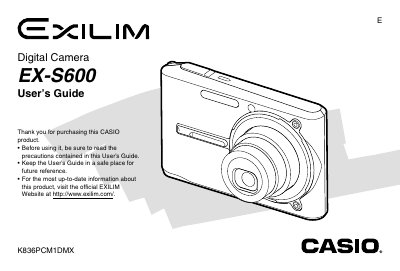
Casio EX-S600 Digital Camera User's Guide
The Casio EX-S600 is a compact digital camera featuring optical and digital zoom capabilities, flash assist, and various scene modes such as Business Shot and Best Shot. The manual details how to record still images and movies, adjust settings like white balance and ISO sensitivity, and utilize features like continuous shutter mode and snapshot-in-movie.
Read onlineCasio EX-S600 specifications
| AC Power Input | 100‑240 V, 50/60 Hz, 83 mA |
|---|---|
| DC Power Input | 3.3 V, 630 mA |
| Dimensions | 30 mm × 20 mm × 70 mm |
All Casio EX-S600 documents by type
Day-to-day operation, settings and troubleshooting. Start here if the product is already set up.
Questions answered in these manuals
What battery is required for the camera?
The camera uses a Rechargeable Lithium ion Battery (NP-20).
How do I transfer images to a computer?
You can use the bundled USB Cable or copy files from a memory card.
How do I charge the battery?
Refer to the Battery Charging section (page 32) for step‑by‑step charging instructions.
How can I transfer images to a computer?
Connect the camera to a computer via the USB dock as described in the USB Connection section (page 25).
How do I charge the battery for the EX‑S600?
Charge the battery before first use as described in the Getting Started section.
How can I connect the camera to a computer?
Use the USB port; the manual includes settings for the USB port protocol.