
Key facts
- Brand
- Casio
- Model
- EX-P600
- Category
- Digital cameras
- Industry
- Electronics
- Documents
- 3
- Languages
- EN
- Last added
- 2012-06-06
Start here
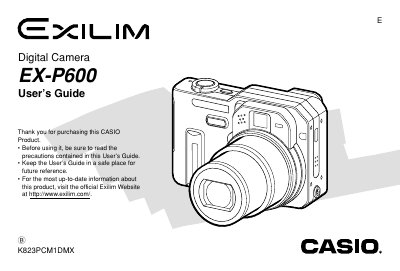
Casio EX-P600 Digital Camera User's Guide
This manual provides comprehensive instructions for using the Casio EX-P600 digital camera. It covers essential topics including unpacking, battery management, turning the camera on and off, and basic image recording procedures.
The guide details advanced features such as various exposure modes (Aperture Priority, Shutter Speed Priority), white balance adjustments, continuous shooting modes, and auto bracketing. It also explains how to use the optical viewfinder, zoom functions, flash unit, and self-timer.
Casio EX-P600 specifications
| Dimensions (excluding projections) | 97.5(W) x 67.5(H) x 45.1(D) mm |
|---|---|
| Weight (excluding battery and accessories) | Approximately 225 g (7.9 oz) |
| Battery Type | Rechargeable lithium ion battery (NP-40) |
All Casio EX-P600 documents by type
Day-to-day operation, settings and troubleshooting. Start here if the product is already set up.
Questions answered in these manuals
What is the operating temperature range for the camera?
The operating conditions are 0°C to 40°C (32°F to 104°F).
How long does it take to fully charge the battery using the Rapid Charger Unit?
It takes approximately 2 hours to achieve a full charge.
How do I install and remove the battery?
Open the battery compartment, insert the NP‑40 battery with the contacts aligned, then close the compartment. To remove, open the compartment and pull the battery out.
How can I connect the camera to a computer via USB?
Connect the camera to a PC using the supplied USB cable. The camera will appear as a removable storage device, allowing you to transfer images or use PictBridge for direct printing.
What is the weight of the camera without the battery?
The camera weighs 223 g without the battery.
What are the dimensions of the EX‑P600?
The camera measures 38.3 × 38.0 × 9.3 mm.