
This file provides the operating instructions for the pt-1400 printer, including parameter settings, font settings, common functions and commands, etc.
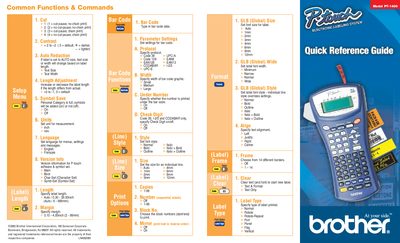
This document serves as a quick reference guide for the Brother PT-1400 label maker. It details various print options such as cut-pause settings, chain printing, and measurement units (inch/mm). The guide also explains how to adjust text size, width, and font styles including Normal, Bold, Italic, and Outline.
| Model | PT-1400 |
|---|---|
| Copyright Year | 2003 |
| Document ID | LN4393001 |
The device allows you to set the unit for measurement to either inch or mm.
Supported protocols include Code 39 C-A, Code 128, EAN8, EAN128, EAN13, CODABAR 1-2/5, and UPC-E.
Available font styles include Normal, Italic, Bold, Bold Italic, Outline, and Italic + Outline.