
Key facts
Start here
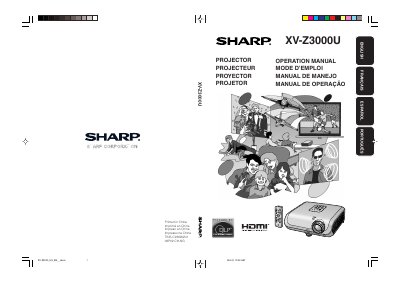
Sharp XV-Z3000U Projector Operation Manual
This document is the Operation Manual for the Sharp XV-Z3000U projector. It covers essential safety precautions, such as warnings regarding the high-brightness light source and the need to allow the cooling fan to stop before disconnecting power. The manual explains how to record the serial number for theft reporting and recycling instructions.
The guide details the setup process for both front projection and ceiling-mount configurations. It provides step-by-step instructions for connecting video equipment and computers, controlling the projector via remote or computer, and adjusting the projected image. Key features covered include menu adjustments for picture quality, color temperature, and noise reduction, as well as special modes and on-screen display settings.
Sharp XV-Z3000 specifications
| Display technology | DLP Digital Light Processing (DMD) |
|---|---|
| Color technology | BrilliantColor™ |
| HDMI interface | High‑Definition Multimedia Interface |
| RS‑232C port | Available for external control |
Source: Sharp XV-Z3000 TV Manual
All Sharp XV-Z3000 documents by type
Day-to-day operation, settings and troubleshooting. Start here if the product is already set up.
Questions answered in these manuals
What should I do before disconnecting the power cord?
Ensure the cooling fan has stopped before disconnecting the power cord.
Can I turn the projector off by disconnecting the power cord during normal operation?
No, never turn the projector off by disconnecting the power cord during normal operation, as this will result in premature lamp failure.
How do I put the TV into standby mode?
Press the standby button; the display will show “STANDBY/ON” indicating the TV is in standby.
From: Sharp XV-Z3000 TV Manual
What picture adjustment feature automatically aligns the image?
Use the AUTO SYNC function to automatically adjust picture geometry.
From: Sharp XV-Z3000 TV Manual
What contrast ratio does the XV-Z3000 offer?
The leaflet lists a 6,500:1 contrast ratio in High Contrast Mode.
From: Sharp XV-Z3000 High-Definition DLP Home Theatre Projector Leaflet
How long does the projection lamp last?
The 275 W (SHP) lamp is rated at 3,000 hours in Low Power Mode.
From: Sharp XV-Z3000 High-Definition DLP Home Theatre Projector Leaflet