
Key facts
- Brand
- Panasonic
- Model
- TC-P50G20
- Category
- Television
- Industry
- Appliances
- Documents
- 2
- Languages
- EN
- Last added
- 2012-08-03
Start here
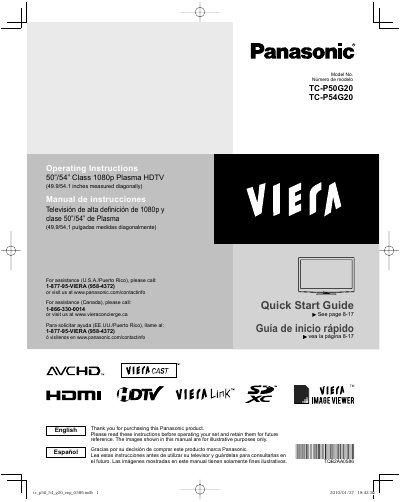
Panasonic TC-P50G20 TC-P54G20 Plasma HDTV Quick Start Guide
This document serves as a Quick Start Guide for the Panasonic TC-P50G20 and TC-P54G20 1080p Plasma HDTVs. It covers essential safety precautions, initial setup steps, and basic connection instructions to help users begin operating their television immediately. The guide also introduces key features such as VIERA Link and VIERA CAST.
Read onlinePanasonic TC-P50G20 specifications
| Screen Size | 50"/54" Class |
|---|---|
| Resolution | 1080p |
| Product Type | Plasma HDTV |
Source: Panasonic TC-P50G20 TC-P54G20 Plasma HDTV Quick Start Guide
All Panasonic TC-P50G20 documents by type
Day-to-day operation, settings and troubleshooting. Start here if the product is already set up.
Questions answered in these manuals
How do I get assistance for this TV in the U.S.?
Call 1-877-95-VIERA (958-4372) or visit www.panasonic.com/contactinfo.
From: Panasonic TC-P50G20 TC-P54G20 Plasma HDTV Quick Start Guide
What are the recommended wall-hanging brackets?
The TY-WK4P1 RW for TC-P50G20 and TY-WK5P1 RW for TC-P54G20.
From: Panasonic TC-P50G20 TC-P54G20 Plasma HDTV Quick Start Guide
Can I install this TV myself?
No, two or more people are required to install or remove the television.
From: Panasonic TC-P50G20/TC-P54G20 Plasma HDTV Quick Start Guide
What is the diagonal screen size of this Panasonic Plasma HDTV?
The television measures 49.9 inches for the TC-P50G20 model and 54.1 inches for the TC-P54G20 model when measured diagonally.
From: Panasonic TC-P50G20/TC-P54G20 Plasma HDTV Quick Start Guide