
Key facts
- Brand
- Panasonic
- Model
- TC-P50GT50
- Category
- Television
- Industry
- Appliances
- Documents
- 2
- Languages
- EN
- Last added
- 2012-08-03
Start here
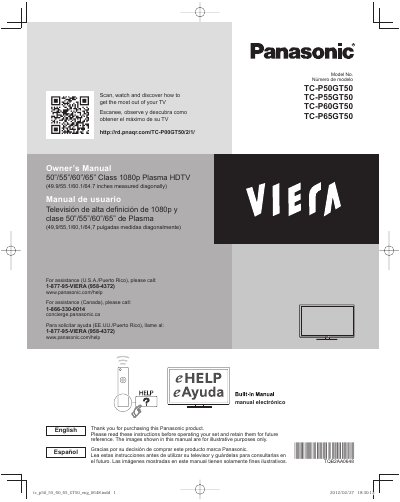
Panasonic TC-P50GT50 TC-P55GT50 TC-P60GT50 TC-P65GT50 Plasma HDTV Owner's Manual
This manual provides instructions for the Panasonic TC-P50GT50, TC-P55GT50, TC-P60GT50, and TC-P65GT50 Class 1080p Plasma HDTVs. It covers safety precautions, first-time setup, and operating the unit to view 3D images. The document also explains how to use the built-in eHELP manual and provides care and cleaning guidelines.
Read onlinePanasonic TC-P50GT50 specifications
| Display Type | Class 1080p Plasma HDTV |
|---|---|
| Screen Size | 49.9/55.1/60.1/64.7 inches measured diagonally |
| Energy Standard | ENERGY STAR qualified in Home Use setting |
Source: Panasonic TC-P50GT50 TC-P55GT50 TC-P60GT50 TC-P65GT50 Plasma HDTV Owner's Manual
All Panasonic TC-P50GT50 documents by type
Day-to-day operation, settings and troubleshooting. Start here if the product is already set up.
Questions answered in these manuals
What causes image retention on the screen?
Displaying a still picture for a long time causes the image to remain on the plasma screen.
From: Panasonic TC-P50GT50 TC-P55GT50 TC-P60GT50 TC-P65GT50 Plasma HDTV Owner's Manual
How is image retention prevented?
The screen saver is automatically activated after a few minutes if no signals are sent or no operations are performed.
From: Panasonic TC-P50GT50 TC-P55GT50 TC-P60GT50 TC-P65GT50 Plasma HDTV Owner's Manual
What is the diagonal screen size of this TV?
The television measures 49.9, 55.1, 60.1, or 64.7 inches diagonally.
From: Panasonic TC-P50GT50/TC-P55GT50/TC-P60GT50/TC-P65GT50 Manual
What happens if I leave a static image on the screen for too long?
The image will remain on the plasma screen, which is called 'Image Retention'.
From: Panasonic TC-P50GT50/TC-P55GT50/TC-P60GT50/TC-P65GT50 Manual