
Key facts
- Brand
- Panasonic
- Model
- DP-UB820
- Documents
- 3
- Languages
- EN
- Last added
- 2026-10-04
Start here
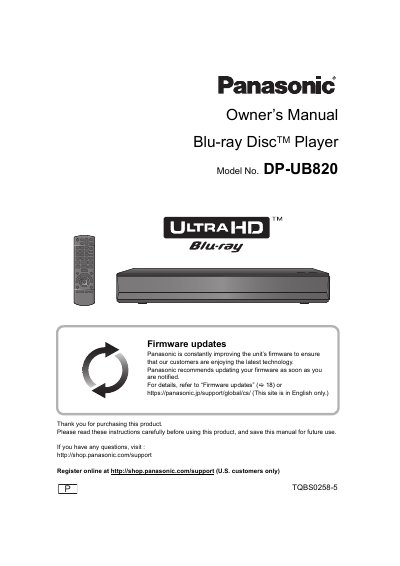
Panasonic DP-UB820 Blu-ray Disc Player Owner's Manual
This manual provides safety instructions, installation guidance, and detailed operating procedures for the Panasonic DP-UB820 Blu‑ray Disc Player. It covers everything from connecting the unit to a TV or network, using the remote control, and handling media, to troubleshooting and specifications.
The document also includes information on firmware updates, laser safety, power consumption, and warranty details, helping users get the most out of their player while ensuring safe and reliable operation.
Panasonic DP-UB820 specifications
| Operating temperature range | -5 °C to 35 °C |
|---|---|
| Operating humidity range | 10 % to 80 % RH |
| USB ports | Front: USB 2.0, 5 V max 500 mA; Rear: USB 3.0, 5 V max 900 mA |
| Power consumption (standby) | ≈ 0.2 W |
| Dimensions (W × H × D) | 430 mm × 62 mm × 208 mm |
| Weight | ≈ 2.4 kg (5.3 lb) |
Source: Panasonic DP-UB820 Blu-ray Disc Player Owner's Manual
All Panasonic DP-UB820 documents by type
Day-to-day operation, settings and troubleshooting. Start here if the product is already set up.
Questions answered in these manuals
How much power does the DP-UB820 use in standby mode?
The unit consumes approximately 0.2 W when in standby mode.
What types of USB ports are provided on the DP-UB820?
The front panel has a USB 2.0 High‑Speed port (5 V, max 500 mA) and the rear has a USB 3.0 Super‑Speed port (5 V, max 900 mA).
How often should I update the firmware?
Panasonic recommends updating your firmware as soon as you are notified to ensure you are enjoying the latest technology.
From: Panasonic DP-UB820 Blu-ray Disc Player Operating Instructions
What should I do if the unit receives radio interference from a mobile telephone?
Increase the separation between the unit and the mobile telephone if interference occurs during use.
From: Panasonic DP-UB820 Blu-ray Disc Player Operating Instructions
What media can the DP-UB820 play?
The DP-UB820 supports Ultra HD Blu-ray, BD-Video, BD-RE, BD-R, DVD-Video, DVD-R, DVD-RW, CD-DA, Music CD, and USB devices with FAT12, FAT16, FAT32, or NTFS file systems.
From: Panasonic DP-UB820 Blu-ray Disc Player Operating Instructions
What should I do if I get an HDR compatibility message?
Check your TV settings to ensure it supports HDR. If using a Panasonic TV from 2015 or later, enable the HDR setting. For non-Panasonic TVs, refer to the TV’s operating instructions.
From: Panasonic DP-UB820 Blu-ray Disc Player Operating Instructions