
Key facts
- Brand
- Panasonic
- Model
- SC-AP01
- Category
- Other Electronics
- Industry
- Electronics
- Documents
- 2
- Languages
- EN
- Last added
- 2026-10-31
Start here
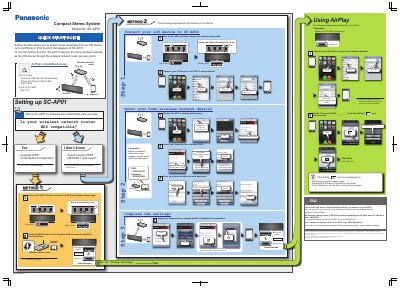
Panasonic SC-AP01 Wireless Network Setup Guide
This document provides instructions for setting up the Panasonic SC-AP01 Compact Stereo System to connect to a home wireless network. It details two methods for network configuration: one for routers with WPS (Wi-Fi Protected Setup) compatibility and another for manual setup via a web browser.
Read onlinePanasonic SC-AP01 specifications
| USB Charging Output | 5 V, 2.1 A MAX |
|---|---|
| Compatible iOS Version | iOS 4.2 or later |
| Compatible iTunes Version | iTunes 10.2 or later |
Source: Panasonic SC-AP01 Compact Stereo System Owner's Manual
All Panasonic SC-AP01 documents by type
The shortest path to a working setup, usually only a few pages.
Day-to-day operation, settings and troubleshooting. Start here if the product is already set up.
Questions answered in these manuals
Do I need to reset SC-AP01 when connecting a new iOS device?
No, you only have to connect the new iOS device to the same home wireless network.
What should I do if METHOD 1 does not work?
Check if your router supports WPS; if not, or if the setup fails, try METHOD 2 which involves manual entry of network details.
Can I play music from a USB device connected to this unit?
No, you cannot play back music from the connected device through this unit's speakers.
From: Panasonic SC-AP01 Compact Stereo System Owner's Manual
What happens if I discard or transfer this unit?
You must follow the procedure to return all settings to the factory presets to delete user settings.
From: Panasonic SC-AP01 Compact Stereo System Owner's Manual