
Key facts
- Brand
- JVC
- Model
- GY-LS300
- Industry
- Electronics
- Documents
- 3
- Languages
- EN
- Last added
- 2026-10-06
Start here
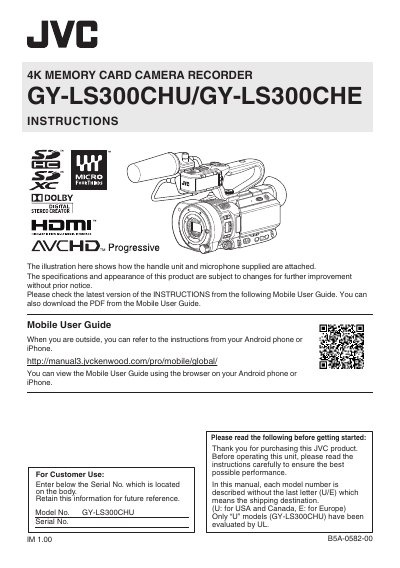
JVC GY-LS300CHU/GY-LS300CHE 4K Memory Card Camera Recorder User Manual
This manual covers safety precautions, installation steps, and detailed operating instructions for the JVC GY‑LS300CHU/GY‑LS300CHE 4K memory‑card camera recorder. It includes guidance on attaching the handle unit, lens, microphone, tripod, and battery pack, as well as wiring and terminal connections for AC power, HDMI, SDI and audio.
The document also describes the device’s specifications such as power requirements, dimensions, supported media, sensor type, and LCD monitor features, and provides troubleshooting and maintenance information for safe and reliable use.
JVC GY-LS300 specifications
| Power Input | DC 12 V |
|---|---|
| Power Consumption (4K mode) | ≈ 9.8 W |
| Mass (with battery) | ≈ 1.7 kg |
| Operating Temperature | 0 °C to 40 °C |
| Dimensions (W × H × D) | 135 mm × 191 mm × 359 mm |
| Supported Media | SDHC/SDXC slots × 2 |
| Image Sensor | Super 35 mm Progressive CMOS |
| LCD Monitor | 3.5‑inch, 920 K pixels, 16:9 |
| HDMI Output | Type‑A, HDMI 1.4‑compliant |
| SDI OUT | 3G‑SDI (BNC) compliant with SMPTE ST424 |
Source: JVC GY-LS300CHU/GY-LS300CHE 4K Memory Card Camera Recorder User Manual
All JVC GY-LS300 documents by type
Day-to-day operation, settings and troubleshooting. Start here if the product is already set up.
Questions answered in these manuals
What type of battery does the recorder use and how should it be replaced?
The unit uses a lithium‑ion battery pack; replacement batteries must be CR2025 cells from Panasonic, Sanyo, Sony or Maxell, and must not be recharged, disassembled, heated above 100 °C, or incinerated.
From: JVC GY-LS300CHU/GY-LS300CHE 4K Memory Card Camera Recorder User Manual
How can I avoid electric shock when servicing the device?
Do not open the unit or remove the cover; there are no user‑serviceable parts inside and all servicing must be performed by qualified personnel.
From: JVC GY-LS300CHU/GY-LS300CHE 4K Memory Card Camera Recorder User Manual
How do I connect my JVC camcorder to Wi-Fi for streaming?
Plug the USB adapter into the camera, enable the network function, and connect to Wi-Fi. Verify the IP address using the Status button.
What is the default IP address for the camera?
The default IP address is 192.168.1.109, though this may vary.
What is the purpose of the 3D-LUT files provided in this manual?
These files convert J-Log1 recorded data to match Rec.709 or DCI-P3 characteristics so videos can be viewed on conventional monitors with correct coloration.
From: 3D-LUTs file for J-Log1 of GY-HC500 series, GY-HC900 series and GY-LS300 Reference Manual
What monitor brightness specification is recommended for evaluating DCI-P3 LUTs?
It is recommended to use a monitor compatible with DCI-P3 that has a white brightness of 48cd/m².
From: 3D-LUTs file for J-Log1 of GY-HC500 series, GY-HC900 series and GY-LS300 Reference Manual