
Key facts
- Brand
- JVC
- Model
- KY-PZ200
- Documents
- 4
- Languages
- ZH · EN
- Last added
- 2026-10-25
Start here
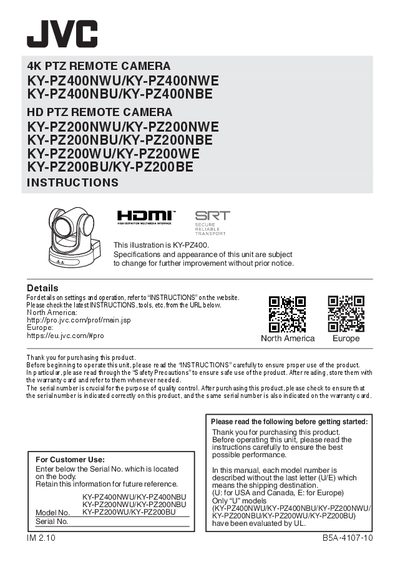
JVC KY-PZ400/KY-PZ200 Series PTZ Remote Camera Instructions
This document serves as the instruction guide for JVC KY-PZ400 (4K) and KY-PZ200 (HD) series PTZ Remote Cameras. It covers essential safety precautions, including warnings about electric shock, moisture exposure, and heat sources, alongside general operating instructions.
Read onlineJVC KY-PZ200 specifications
| Image Sensor (KY-PZ400N) | 1/2.5-inch progressive scan CMOS, 8.51 million effective pixels |
|---|---|
| Optical Zoom (KY-PZ400N) | 12x |
| Optical Zoom (KY-PZ200N) | 20x |
| Digital Zoom | 16x |
| Minimum Illumination (KY-PZ400N) | 0.5Lux @ F1.8, AGC ON |
| Horizontal Rotation Range | +/-170 degrees |
| Vertical Rotation Range | -30 to +90 degrees |
| Power Supply (AC Adapter) | DC12V |
Source: JVC KY-PZ400NW/NB and KY-PZ200NW/NB PTZ Camera User Manual
All JVC KY-PZ200 documents by type
Day-to-day operation, settings and troubleshooting. Start here if the product is already set up.
Questions answered in these manuals
What video compression formats are supported?
The cameras support H.265, H.264, and MJPEG for video compression.
From: JVC KY-PZ400NW/NB and KY-PZ200NW/NB PTZ Camera User Manual
Which network control protocols are supported?
The cameras support NDI|HX, Standard, and Pelco protocols for control.
From: JVC KY-PZ400NW/NB and KY-PZ200NW/NB PTZ Camera User Manual
What is the product and what are its stated ratings?
This unit is a 4K PTZ remote camera or an HD PTZ remote camera.
From: JVC KY-PZ400/KY-PZ200 Series PTZ Remote Camera Instructions
Where is the serial number located on the product?
The serial number plate is located on the bottom of the unit.
From: JVC KY-PZ400/KY-PZ200 Series PTZ Remote Camera Instructions
How do I set the IP address for the KY-PZ200/400 camera?
Set the camera’s IP address to match your LAN subnet, netmask and gateway. Press “Set” to apply new settings, the camera will reboot.
What is the default IP address for the KY-PZ200/400?
The default IP address is 192.168.0.10.