
Key facts
- Brand
- JVC
- Model
- GR-DVP7
- Documents
- 2
- Languages
- EN
- Last added
- 2012-03-16
Start here
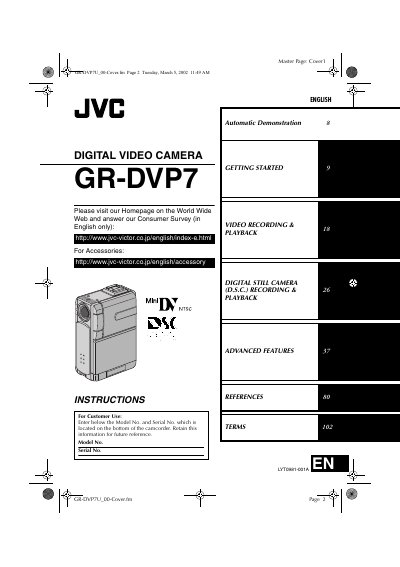
JVC GR-DVP7 Digital Video Camera User Manual
This manual covers everything you need to start using the JVC GR-DVP7 digital video camera, from safety precautions and power options to attaching accessories and charging the battery pack. Detailed sections walk you through getting started, video and still‑image recording, advanced features, and troubleshooting.
Reference tables list connectors, indicators, specifications, and terms, while the appendix provides a quick‑start guide and maintenance tips for reliable operation.
JVC GR-DVP7 specifications
| General power supply (adapter) | DC 6.3 V |
|---|---|
| Power consumption (LCD off, viewfinder on) | Approx. 4.2 W |
| Dimensions (W × H × D) | 43 mm × 115 mm × 80 mm |
| Weight (without accessories) | Approx. 350 g (0.78 lb) |
| Operating temperature range | 0 °C to 40 °C (32 °F to 104 °F) |
| Image sensor | 1/3.8" CCD |
| Lens | F 1.8, 3.8 mm‑38 mm, 10:1 power zoom |
| LCD monitor size | 2" diagonal, TFT active‑matrix |
| Video format | DV (SD mode), NTSC |
| Tape speed (SP mode) | 18.8 mm/s |
| Maximum recording time (SP) | 80 min |
| Storage media | SD Memory Card / MultiMediaCard |
| Audio recording | PCM, 32 kHz 4‑channel (12‑bit) or 48 kHz 2‑channel (16‑bit) |
All JVC GR-DVP7 documents by type
Day-to-day operation, settings and troubleshooting. Start here if the product is already set up.
Questions answered in these manuals
Which battery packs are compatible with the GR‑DVP7?
The camcorder uses JVC BN‑V107U battery packs (and the optional BN‑V114U pack).
What are the power‑supply options for the camcorder?
You can power the GR‑DVP7 with a DC 6.3 V AC adapter (AA‑V100U) or with a DC 7.2 V battery pack.
Which batteries are compatible with this camcorder?
Use JVC BN‑V107U or BN‑V114U battery packs.
From: JVC GR-DVP7 / GR-DVP5 Digital Video Camera User Manual
How can I attach the strap to the camcorder?
Thread one end of the strap through the eyelet, pass the other end through the loop, attach the screw to the tripod mounting socket and tighten.
From: JVC GR-DVP7 / GR-DVP5 Digital Video Camera User Manual