
Key facts
- Brand
- JVC
- Model
- GZ-HM400
- Category
- Digital cameras
- Industry
- Electronics
- Documents
- 3
- Languages
- EN · ZH · JA
- Last added
- 2012-05-10
Start here
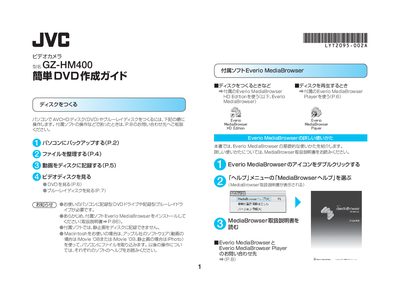
JVC GZ-HM400 Simple DVD Creation Guide
The guide explains the steps to back up video and still‑image files from the GZ‑HM400 to a computer via USB, using the included Everio MediaBrowser software. It covers preparing the computer, organizing files, and selecting the appropriate disc type (AVCHD DVD, DVD‑Video, or Blu‑ray).\n\nIt then details how to create a disc, choose titles, set background images, and burn the disc. Playback instructions for AVCHD DVDs, DVD‑Video discs, and Blu‑ray discs are provided, along with notes on compatible players and troubleshooting tips. This manual is written in Japanese.
Read onlineJVC GZ-HM400 specifications
| Image sensor | 10.3 Megapixel CMOS |
|---|---|
| Video resolution | 1920×1080 Full HD |
| Optical zoom | 10× optical / 15× dynamic |
| Recording bitrate | 24 Mbps (UXP mode) |
| Internal memory | 32 GB flash |
| Battery life (continuous) | ≈2 hr 25 min |
| LCD screen | 2.8" 207k‑pixel colour LCD |
| Power consumption | 40 W |
| Dimensions (without battery) | 7 mm × 72 mm × 135 mm (W × H × D) |
All JVC GZ-HM400 documents by type
Day-to-day operation, settings and troubleshooting. Start here if the product is already set up.
The shortest path to a working setup, usually only a few pages.
Questions answered in these manuals
How can I upload videos from the GZ‑HM400 to YouTube?
Press the One Touch Upload button; the camcorder converts the file and uploads it directly to YouTube.
What storage options does the GZ‑HM400 support?
It includes 32 GB of internal flash memory and an SD/SDHC card slot for additional storage.
What type of battery should be used in the GZ‑HM400?
Only CR2025 batteries from Panasonic, Sanyo, Sony or Wan Sheng should be used; other batteries are not approved.
How do I reset the camcorder if it stops working?
Turn off the LCD monitor, disconnect the power (battery or AC adapter), then reconnect the power and turn the camcorder back on.
How do I back up videos from the GZ‑HM400 to a computer?
Connect the camcorder to the PC with the USB cable, press the power button for more than 5 seconds, then select “バックアップする” in Everio MediaBrowser.
Can I record still images to a DVD with this guide?
No. The guide states that still images cannot be recorded to a disc.