
Key facts
- Brand
- JVC
- Model
- HD-61Z786
- Category
- Player
- Industry
- Appliances
- Documents
- 2
- Languages
- EN
- Last added
- 2012-07-13
Start here
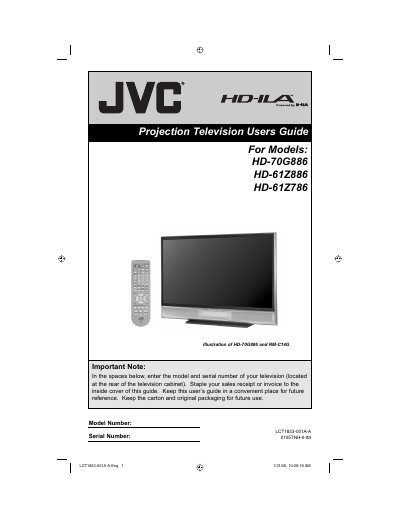
JVC HD-70G886 HD-61Z886 HD-61Z786 user manual
This manual provides instructions for the JVC HD-70G886, HD-61Z886, and HD-61Z786 HDTV-ready projection televisions, which utilize the high-quality HD-ILA projection system. It includes essential safety precautions, such as warnings regarding electric shock, moisture, and ventilation requirements to ensure safe operation.
Read onlineJVC HD-61Z786 specifications
| Screen Size | 61 inch (155 cm) diagonal, 16:9 ratio |
|---|---|
| Lamp Type | High‑Pressure Mercury Lamp |
| Speakers | Two 10 cm round speakers |
| Audio Output | Full‑range 10 W + 10 W |
Source: JVC HD-70G886 / HD-61Z886 / HD-61Z786 Projection Television User Guide
All JVC HD-61Z786 documents by type
Day-to-day operation, settings and troubleshooting. Start here if the product is already set up.
Questions answered in these manuals
How long does it take for the picture to reach full brightness after turning on the television?
It takes approximately one minute for the lamp to warm up to its normal operating temperature.
How long must the cooling process run after turning off the television before unplugging it?
The television performs cooling for approximately 90 seconds, and you should not remove the plug until this is complete.
How long does the lamp take to warm up after turning the TV on?
It takes approximately one minute for the lamp to warm up to its normal operating temperature.
From: JVC HD-70G886 / HD-61Z886 / HD-61Z786 Projection Television User Guide
What should be done before cleaning the screen?
Unplug the television, then gently wipe the screen with a soft cloth slightly moistened with water.
From: JVC HD-70G886 / HD-61Z886 / HD-61Z786 Projection Television User Guide