
Dell Vostro 14 5000 Series Quick Start Guide
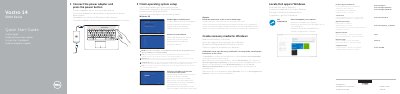
This quick start guide helps set up the Dell Vostro 14 5000 Series computer. It shows connecting the power adapter, pressing the power button, and finishing operating system setup for Windows 10 or Ubuntu.
It also lists computer features and shortcut keys, identifies ports and components, and points to Dell support, manuals, and regulatory information.
| Computer model | Vostro 14-5468 |
|---|---|
| HDMI port | 1 |
| USB 3.0 port with PowerShare | 1 |
Enter the password for the wireless network access when prompted.
In Windows search, type Recovery, click Create a recovery media, and follow the on-screen instructions.
Locate Dell apps in Windows and use Dell SupportAssist to check and update the computer.
The computer model is Vostro 14-5468.