
Dell Venue 10 Pro 5056 Quick Start Guide

The Dell Venue 5056 Quick Start Guide introduces the features and characteristics of the product.
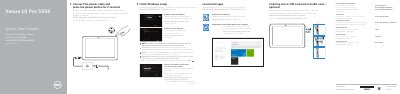

Dell Venue 10 Pro 5056 Quick Start Guide - cover page
Brand
DELL
Category
Tablets
Document type
Quick Start Guide
Language
English
Pages
2
File format
PDF
File size
941 KB
Published
25 November, 2023
Updated
25 November, 2023
MD5 checksum
25497F021BD6A11FE48AD07144ADD4B1

About this manual

This quick start guide helps set up the Dell Venue 10 Pro 5056. It covers connecting power, completing Windows setup, enabling security and updates, connecting to a network, locating Dell apps, checking and updating the computer, and registering the computer.

It also identifies the tablet's features and ports, including front and rear cameras, microphones, headset port, volume buttons, micro-HDMI, USB 3.0, USB-C, keyboard-docking slots, micro-SIM and microSD slots, and an optional NFC-sensor area.

What's inside

  • Connect the power cable
  • Finish Windows setup
  • Enable security and updates
  • Connect to your network
  • Inserting micro-SIM card and microSD card
  • Locate Dell apps
  • Check and update your computer
  • Register your computer
  • Features

Frequently asked questions

How do I turn on the Dell Venue 10 Pro 5056?

Connect the power cable and press the power button for 2 seconds.

What should I enter when connecting to a secured wireless network?

Enter the password for the wireless network access when prompted.

Does the tablet include an NFC sensor?

The NFC-sensor area is optional.

Where is the Service Tag label located?

The Service Tag label is listed as feature 13.

Download PDF (941 KB)

More DELL Manuals


View all DELL manuals →