
Key facts
Start here
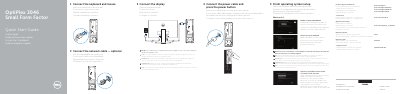
Dell OptiPlex 3046 Small Form Factor Quick Start Guide
Dell OptiPlex 3046 Small Form Factor Quick Start Guide is a multilingual setup guide for the OptiPlex 3046 SFF computer. It shows feature locations and lists numbered connectors and components, including USB, HDMI, DisplayPort, network, power, and optional VGA and memory card reader.
The guide describes initial setup steps such as connecting the keyboard and mouse, network cable, power cable, and display, then finishing operating system setup, enabling security and updates, connecting to a network, signing in or creating an account, and setting a Windows password. It also covers protecting the computer, locating Dell apps in Windows 8.1, registering the device, backup and recovery, Dell Data Protection | Protected Workspace, and Dell SupportAssist.
Dell OptiPlex 3046 specifications
| Computer model | OptiPlex 3046 SFF |
|---|---|
| Regulatory model | D11S |
| Regulatory type | D11S001 |
| Memory card reader | Optional |
| VGA connector | Optional |
Source: Dell OptiPlex 3046 Small Form Factor Quick Start Guide
All Dell OptiPlex 3046 documents by type
The shortest path to a working setup, usually only a few pages.
- Dell OptiPlex 3046 Small Form Factor Quick Start Guide 2 p
- Dell OptiPlex 3046 Small Form Factor Quick Start Guide 2 p
- Dell OptiPlex 3046 Mini Tower Quick Start Guide 2 p
- Dell OptiPlex 3046 Mini Tower Quick Start Guide 2 p
- Dell OptiPlex 3046 Mini Tower Quick Start Guide 2 p
- Dell OptiPlex 3046 Mini Tower Quick Start Guide 2 p
- Dell OptiPlex 3046 MT Quick Start Guide 2 p
- Dell OptiPlex 3046 MT Quick Start Guide 2 p
- Dell OptiPlex 3046 Mini Tower Quick Start Guide 2 p
- Dell OptiPlex 3046 MT Mini Tower Quick Start Guide 2 p
- Dell OptiPlex 3046 Mini Tower Quick Start Guide 2 p
- Dell OptiPlex 3046 Mini Tower Quick Start Guide 2 p
- Dell OptiPlex 3046 MT Quick Start Guide 2 p
Day-to-day operation, settings and troubleshooting. Start here if the product is already set up.
Questions answered in these manuals
What should I do when connecting to a secured wireless network?
Enter the password for the wireless network access when prompted.
From: Dell OptiPlex 3046 Small Form Factor Quick Start Guide
Where should the display be connected if the computer has a discrete graphics card?
Connect the display to the discrete graphics card.
From: Dell OptiPlex 3046 Small Form Factor Quick Start Guide
What should I do if I am connecting to a secured wireless network?
Enter the password for the wireless network access when prompted.
From: Dell OptiPlex 3046 Small Form Factor Quick Start Guide
Where can I find Dell apps in Windows 8.1?
Locate Dell apps in Windows 8.1 by following the instructions on the screen.
From: Dell OptiPlex 3046 Small Form Factor Quick Start Guide
What should I do if I am connecting to a secured wireless network?
Enter the password for the wireless network access when prompted.
Where can I find Dell apps in Windows 8.1?
Locate Dell apps in Windows 8.1 by following the on-screen instructions.