
Dell OptiPlex 3046 MT Quick Start Guide

OptiPlex 3046 Mini Tower Quick Start Guide
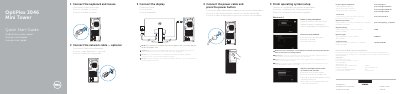

Dell OptiPlex 3046 MT Quick Start Guide - cover page
Brand
DELL
Category
Desktops
Document type
Quick Start Guide
Language
English
Pages
2
File format
PDF
File size
1.2 MB
Published
22 November, 2023
Updated
22 November, 2023
MD5 checksum
A87CA4AFC061AFED169E1EAEB66ACC3C

About this manual

This document serves as a Quick Start Guide for the Dell OptiPlex 3046 Mini Tower (MT). It provides multilingual instructions for the initial setup process, covering the connection of power, display, keyboard, and mouse. It also guides users through enabling security features, connecting to a network, and signing into a Microsoft account or creating a local one.

What's inside

  • Finish operating system setup
  • Enable security and updates
  • Connect to your network
  • Sign in to your Microsoft account
  • Connect the keyboard and mouse
  • Connect the display
  • Features
  • Set up password for Windows
  • Protect your computer
  • Register My Device

Specifications

Input Voltage100 V CA–240 V CA
Input Current4 A
Input Frequency50 Hz–60 Hz
Regulatory ModelD18M

Frequently asked questions

What should I do if I am connecting to a secured wireless network?

Enter the password for the wireless network access when prompted.

Where can I find Dell apps in Windows 8.1?

Locate Dell apps in Windows 8.1 by following the on-screen instructions.

How do I protect my computer from advanced malware attacks?

Use Dell Data Protection | Protected Workspace to protect your computer and data.

Download PDF (1.2 MB)

More DELL Manuals


View all DELL manuals →