
OptiPlex 3046 Mini Tower Quick Start Guide
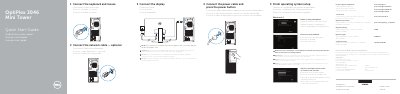
This quick start guide helps set up a Dell OptiPlex 3046 Mini Tower. It covers connecting the keyboard, mouse, network cable, power, and display; finishing operating system setup; signing in; and setting a Windows password.
It also identifies the computer's external features and lists Dell applications and support resources, including backup, data protection, and SupportAssist. Regulatory information for model D18M lists 100-240 V AC input, 4 A maximum current, and 50-60 Hz.
| Regulatory model | D18M |
|---|---|
| Input voltage | 100 V AC-240 V AC |
| Input current (maximum) | 4 A |
| Input frequency | 50 Hz-60 Hz |
| Regulatory type | D18M002 |
| Computer model | OptiPlex 3046 MT |
Connect the display to the discrete graphics card.
A manual installation of the system drivers is required.
Visit Dell.com/support and enter the service tag of the system.
It checks and updates the computer.