
Key facts
- Brand
- DELL
- Model
- Inspiron 24 7000 Series (Inspiron 24-7459)
- Category
- All-in-One Desktops
- Documents
- 5
- Languages
- EN · ES
- Last added
- 2023-11-25
Start here
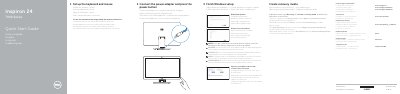
Dell Inspiron 24 7000 Series Quick Start Guide
This quick start guide helps set up the Dell Inspiron 24 7000 Series computer, including connecting the keyboard and mouse, power adapter, network, and completing Windows setup. It also describes Dell updates, recovery media creation, SupportAssist, registration, and Dell Help & Support.
The guide includes a labeled features diagram showing the computer's ports and controls, such as USB 3.0 and USB 2.0 ports, HDMI-in and HDMI-out ports, audio ports, network port, media-card reader, camera, microphones, and power button.
Dell Inspiron 24 7000 Series (Inspiron 24-7459) specifications
| USB 3.0 port with fast charging | 1 |
|---|---|
| USB 3.0 ports | 2 |
| USB 2.0 ports | 2 |
| HDMI ports | HDMI-out and HDMI-in |
All Dell Inspiron 24 7000 Series (Inspiron 24-7459) documents by type
The shortest path to a working setup, usually only a few pages.
Disassembly, diagnostics and part numbers, for repair.
Questions answered in these manuals
How do I create recovery media?
In Windows search, type Recovery, click Create a recovery media, and follow the instructions on the screen.
How do I connect to a secured wireless network?
Enter the password for the wireless network access when prompted.
How do I set up the keyboard and mouse?
See the documentation that shipped with the keyboard and mouse.
From: Dell Inspiron 24 7000 Series Computer Quick Start Guide
How do I create recovery media?
In Windows search, type Recovery, click Create a recovery media, and follow the instructions on the screen.
From: Dell Inspiron 24 7000 Series Computer Quick Start Guide
How do I start setting up the Inspiron 24 7000 Series?
Set up the keyboard and mouse as described in their own documentation, then connect the power adapter and press the power button.
From: Dell Inspiron 24 7000 Series Computer Quick Start Guide
How do I create recovery media?
In Windows search, type Recovery, click Create a recovery media, and follow the instructions on the screen.
From: Dell Inspiron 24 7000 Series Computer Quick Start Guide