
Inspiron 24 7000 Series Quick Start Guide
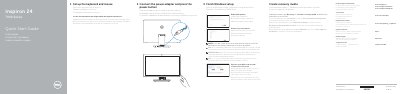
This multilingual quick start guide for the Dell Inspiron 24 7000 Series covers initial setup: setting up the keyboard and mouse, connecting the power adapter, pressing the power button, and finishing Windows setup. It also describes enabling Dell updates, connecting to a network, signing in with a Microsoft account or creating a local account, and creating recovery media.
The guide lists Dell apps, SupportAssist, computer registration, and the computer's features, including microphones, camera-status light, camera, USB ports, brightness controls, input-source selection, hard-drive activity light, power button, media-card reader, headset and audio-out ports, network port, HDMI-out and HDMI-in ports, power-adapter port, and Service Tag label. It includes support links and identifies the computer model as Inspiron 24-7459.
| USB 3.0 port | Supports fast charging |
|---|---|
| USB 2.0 ports | 2 |
| HDMI-out port | 1 |
| HDMI-in port | 1 |
| Media-card reader | 1 |
| Network port | 1 |
| Headset port | 1 |
See the documentation that shipped with the keyboard and mouse.
In Windows search, type Recovery, click Create a recovery media, and follow the instructions on the screen.
Use Dell.com/support, Dell.com/support/manuals, and Dell.com/support/windows.
Use SupportAssist.