
Dell Inspiron 24 7000 Series (Inspiron 24-7459) Quick Start Guide

Inspiron 24 7000 Series Quick Start Guide
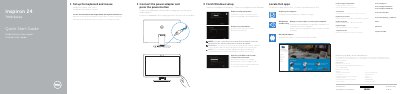

Dell Inspiron 24 7000 Series (Inspiron 24-7459) Quick Start Guide - cover page
Brand
DELL
Category
All-in-One Desktops
Document type
Quick Start Guide
Language
English
Pages
2
File format
PDF
File size
848 KB
Published
20 November, 2023
Updated
20 November, 2023
MD5 checksum
2B5AA81B747E4017DDF134C1FD6D416D

About this manual

This quick start guide covers initial setup of the Dell Inspiron 24 7000 Series computer, including connecting the keyboard and mouse, power adapter, and completing Windows setup.

It also identifies the computer's external features and ports, tilt and transform positions, SupportAssist update checks, and support and regulatory information.

What's inside

  • Set up the keyboard and mouse
  • Connect the power adapter and press the power button
  • Finish Windows setup
  • Connect to your network
  • Register your computer
  • Dell Backup and Recovery
  • Dell Help & Support
  • Features
  • SupportAssist
  • Tilt and transform positions

Specifications

Input voltage100-240 V AC
Input frequency50-60 Hz
Input current2.50 A
Output voltage19.50 V DC
Output current4.62 A / 6.67 A
Country of originChina
3D cameraIntel RealSense 3D Camera (optional)

Frequently asked questions

Where can I get product support and manuals?

Dell provides product support and manuals at Dell.com/support and Dell.com/support/manuals.

What is the computer model?

The computer model is Inspiron 24-7459.

Is the Intel RealSense 3D camera included?

The Intel RealSense 3D camera is optional.

Download PDF (848 KB)

More DELL Manuals


View all DELL manuals →