
The Dell Inspiron 24 7000 Series Quick Start Guide provides instructions on how to set up the keyboard and mouse, complete Windows installation, enable Dell updates, and connect to your network.
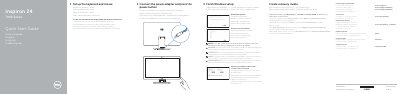
This is Dell's two-page Quick Start Guide for the Inspiron 24 7000 Series computer, identified on the sheet as computer model Inspiron 24-7459 (regulatory model W07C, regulatory type W07C003). The instructions are printed in English together with Danish, Finnish, Norwegian and Swedish, and the sheet is dated 2015-07.
The guide walks through setting up the keyboard and mouse, connecting the power adapter and pressing the power button, finishing Windows setup with Dell updates, connecting to a network, and creating recovery media. It also lists where the front and rear features are located, shows the tilt adjustment, and points to Dell apps, SupportAssist, product registration and Dell support and contact pages.
| Computer model | Inspiron 24-7459 |
|---|---|
| Regulatory model | W07C |
| Regulatory type | W07C003 |
| USB 3.0 port | Supports fast charging |
| USB 3.0 ports | 2 |
| USB 2.0 ports | 2 |
| HDMI ports | HDMI-out and HDMI-in |
| Media-card reader | Included |
| Audio ports | Headset port and audio-out port |
Set up the keyboard and mouse as described in their own documentation, then connect the power adapter and press the power button.
In Windows search, type Recovery, click Create a recovery media, and follow the instructions on the screen.
When prompted, enter the password for the wireless network access.
Dell lists Dell.com/support for product support and Dell.com/support/manuals for manuals.