
Key facts
- Brand
- Cisco
- Model
- Business 350 Series
- Category
- Other Electronics
- Industry
- Computers
- Documents
- 2
- Languages
- JA · ZH
- Last added
- 2026-11-12
Start here
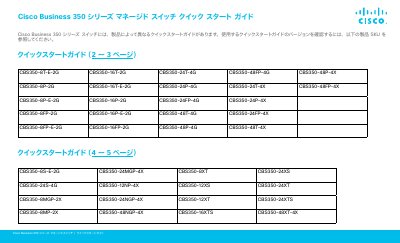
Cisco Business 350 Series Managed Switch Quick Start Guide
This document is the Quick Start Guide for the Cisco Business 350 Series Managed Switches. It covers initial setup procedures, default login information, and LED status indicators to help users get the device operational quickly. The guide applies to various models within the series, such as the CBS350-8T-E-2G and CBS350-48FP-4X. This manual is written in Japanese.
Read onlineCisco Business 350 Series specifications
| Default IP Address | 192.168.1.254 |
|---|---|
| Default Username | cisco |
| Compatible Browsers | Firefox, Chrome, Safari, Edge |
Source: Cisco Business 350 Series Managed Switch Quick Start Guide
All Cisco Business 350 Series documents by type
The shortest path to a working setup, usually only a few pages.
Questions answered in these manuals
What are the default login credentials for the switch?
The default username is 'cisco' and the default password is 'cisco'.
From: Cisco Business 350 Series Managed Switch Quick Start Guide
What is the default IP address of the switch?
The default IP address is 192.168.1.254 with a subnet mask of /24.
From: Cisco Business 350 Series Managed Switch Quick Start Guide
What is the default IP address for the switch?
If the switch cannot obtain an IP address via DHCP, it uses the factory default IP address 192.168.1.254.
From: Cisco Business 350 Series Managed Switch Quick Start Guide
What are the default login credentials?
The default username is 'cisco' and the default password is 'cisco'.
From: Cisco Business 350 Series Managed Switch Quick Start Guide