
Key facts
- Brand
- Cisco
- Model
- Webex Room 70
- Category
- Other Electronics
- Documents
- 2
- Languages
- EN · ZH
- Last added
- 2026-11-05
Start here
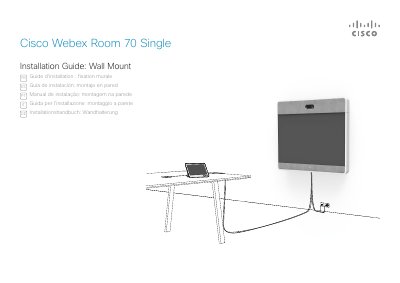
Cisco Webex Room 70 Single Installation Guide
Installation Guide 36 pages · 4.6 MB · EN
This guide provides instructions for wall mounting the Cisco Webex Room 70 Single system. It recommends that four people work together to assemble the system due to its height and weight, and advises following local regulations. The document includes safety warnings regarding the system's weight of 115 kg (254 lb) and the necessity of using qualified personnel for installation.
Read onlineCisco Webex Room 70 specifications
| Display Size | 70-inch 4K LED |
|---|---|
| Resolution | 3840×2160 (16:9) |
| Contrast Ratio | 4000:1 |
| Response Time | 6 ms |
| Brightness | 230 cd/m2 @ 7.200K |
| Camera | Quad Camera |
| Audio Output | 104 dB SPL |
| Power Consumption (Dual) | 470W |
| Power Consumption (Single) | 258W |
| Dimensions (Dual Floor) | 3169mm x 1920mm x 920mm |
All Cisco Webex Room 70 documents by type
Installation Guide 1
Mounting, wiring and first power-up. Read it before the hardware goes in.
Product Leaflet 1
Questions answered in these manuals
How many people are recommended to install the Cisco Webex Room 70 Single?
We recommend 4 people working together to mount this system.
What is the weight of the Cisco Webex Room 70 Single with wall mount brackets?
The system with wall mount brackets weighs 115 kg [254 lb].
What is the maximum resolution supported by the display?
The display supports a resolution of 3840×2160 (16:9).
Does the system support wireless content sharing?
Yes, it supports wireless content sharing via Cisco Intelligent Proximity technology and Mac/PC wireless data sharing.