
This guide provides quick setup instructions for the Cisco Business 350 Series Managed Switch, including default login credentials, LED status meanings, and…
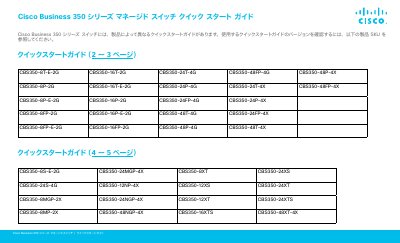
This document is the Quick Start Guide for the Cisco Business 350 Series Managed Switches. It covers initial setup procedures, default login information, and LED status indicators to help users get the device operational quickly. The guide applies to various models within the series, such as the CBS350-8T-E-2G and CBS350-48FP-4X. This manual is written in Japanese.
| Default IP Address | 192.168.1.254 |
|---|---|
| Default Username | cisco |
| Compatible Browsers | Firefox, Chrome, Safari, Edge |
The default username is 'cisco' and the default password is 'cisco'.
The default IP address is 192.168.1.254 with a subnet mask of /24.
Yes, you can use a mobile device with Wi-Fi functionality and the Cisco Business mobile application.