
Cisco IP Phone 7800 Series Quick Start Guide

Cisco IP Phone 7800 Series Quick Start Guide introduces the features and characteristics of the Cisco IP Phone 7800 Series products.
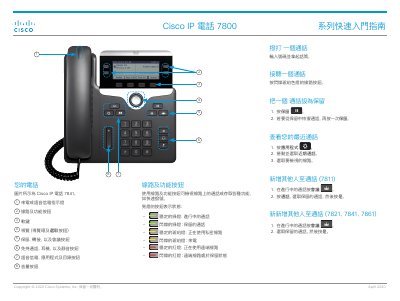

Cisco IP Phone 7800 Series Quick Start Guide - cover page
Brand
Cisco
Document type
Quick Start Guide
Language
ZH-HANT
Pages
2
File format
PDF
File size
600 KB
Published
18 November, 2023
Updated
18 November, 2023
MD5 checksum
D07CEE99C463E6EACB6ADF8977B6C5E6

About this manual

This document is the Quick Start Guide for the Cisco IP Phone 7800 Series, published in April 2020. It includes a visual overview of the phone's buttons and LEDs, such as the Call, Mute, and Volume buttons. The guide explains how to use the Line and Feature buttons to check call status and access features like speed dialing. This manual is written in Chinese.

What's inside

  • Overview
  • Line and Feature Buttons
  • Making a Call
  • Answering a Call
  • Holding a Call
  • Recent Calls
  • Adding Participants
  • Transferring Calls
  • Using Headset
  • Adjusting Volume

Frequently asked questions

What is the specific model of the phone pictured in the guide?

The image shown in the guide depicts the Cisco IP Phone 7841.

How do you place a call on hold?

Press the Hold button, then press it again to restore the call from hold.

How do you adjust the volume for a call in progress?

Press the Volume button to increase or decrease the volume for the handset, headset, or speakerphone.

Download PDF (600 KB)

More Cisco Manuals


View all Cisco manuals →