
Key facts
- Brand
- Casio
- Model
- EX-S880
- Category
- Digital cameras
- Industry
- Electronics
- Documents
- 4
- Languages
- EN · ZH
- Last added
- 2012-06-06
Start here
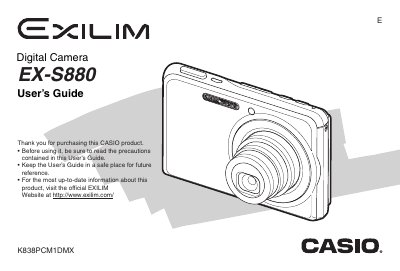
Casio EX-S880 Digital Camera User's Guide
The Casio EX-S880 is a compact digital camera designed for capturing high-quality snapshots and movies. This User's Guide covers essential operations such as unpacking the device, charging the NP-20 battery, and configuring basic settings like date, time, and display language. It details how to use various shooting modes, including face recognition, continuous shutter, and zoom functions.
Read onlineCasio EX-S880 specifications
| Rated Voltage | 3.7 V |
|---|---|
| Rated Capacitance | 700 mAh |
| Dimensions (Camera) | 94.5 x 60.4 x 17.3 mm |
| Weight (Camera) | Approximately 128 g |
All Casio EX-S880 documents by type
Day-to-day operation, settings and troubleshooting. Start here if the product is already set up.
Questions answered in these manuals
What battery is included with the camera?
The camera comes bundled with a Rechargeable Lithium Ion Battery (NP-20).
How do I charge the battery?
You can charge the battery using the USB Cradle (CA-37) or the Special AC Adaptor (AD-C52G).
What type of battery is included with the camera?
The camera comes bundled with a Rechargeable Lithium Ion Battery (NP-20).
How do I charge the battery?
You must first insert the battery into the USB Cradle (CA-37) and connect it to power.
How can I transfer images to a Windows computer?
Connect the camera to a Windows PC via the USB port and follow the “与Windows电脑搭配使用相机” instructions.
How do I format the memory card?
Select the “格式化记避卡” option in the menu to format the memory card.