
Key facts
- Brand
- Agilent
- Model
- G5471A / G5472A / G5473A
- Category
- Other products
- Industry
- Industrial
- Documents
- 3
- Languages
- ZH · EN
- Last added
- 2026-11-20
Start here
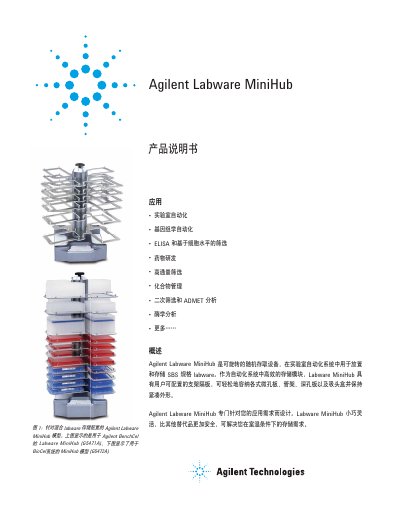
Agilent Labware MiniHub Labware Storage Device User Manual
The Agilent Labware MiniHub is a rotatable random-access device designed for the placement and storage of SBS specification labware within laboratory automation systems. It features user-configurable bracket dividers that can accommodate various microplates, tube racks, deep-well plates, and tip boxes while maintaining a compact footprint.
Utilizing direct-drive technology similar to Agilent DDR robotic arms, the device ensures high positioning accuracy and reliability. It is designed for safety with collision sensing, automatic emergency stops, and rounded edges to prevent injury, making it suitable for genomics, drug discovery, and high-throughput screening. This manual is written in Chinese.
Agilent G5471A / G5472A / G5473A specifications
| Transfer Time | < 5 seconds |
|---|---|
| Payload (per labware) | 200 g |
| Maximum Payload | 12800 g |
| Repeatability | ± 0.02° Phi (± 0.5 mm) |
| Operating Environment | 4-40 °C, 20-90% relative humidity |
| Computer Connection | RS-232 or DB9 serial port |
| Weight (G5471A) | 10 kg |
| Weight (G5472A) | 13 kg |
| Weight (G5473A) | 3.6 kg |
Source: Agilent Labware MiniHub Labware Storage Device User Manual
All Agilent G5471A / G5472A / G5473A documents by type
Day-to-day operation, settings and troubleshooting. Start here if the product is already set up.
Ratings, dimensions and ordering codes, for selection and design work.
Questions answered in these manuals
What labware is compatible with the Labware MiniHub?
It supports SBS specification labware, including microplates, deep-well plates, tube racks, sample vial racks, tip boxes, and some common filter plates.
From: Agilent Labware MiniHub Labware Storage Device User Manual
How is the Labware MiniHub controlled?
It can be controlled using VWorks automation control software or third-party automation software via an ActiveX interface.
From: Agilent Labware MiniHub Labware Storage Device User Manual
What labware formats does the MiniHub support?
It supports SBS footprint labware including microplates, deep-well microplates, tube and vial racks, and tip boxes.
From: Agilent Labware MiniHub G5471A/G5472A/G5473A Data Sheet
Can the shelf spacing be adjusted?
Yes, the device features user-configurable shelf spacing to accommodate different labware heights.
From: Agilent Labware MiniHub G5471A/G5472A/G5473A Data Sheet
How many shelves does the G5471A model have?
The G5471A System model includes 16 shelves to accommodate a maximum of 64 microplates.
From: Agilent Labware MiniHub G5471A/G5472A/G5473A Data Sheet
What is the maximum power output of the G5473A power supply?
The G5473A power supply is able to deliver up to 175 W of continuous power to two devices.
From: Agilent Labware MiniHub G5471A/G5472A/G5473A Data Sheet