
NETGEAR Night Eagle X8 Tri-Band WiFi Router R8500 Quick Start Guide

This document introduces the features and characteristics of the Night Eagle X8 Tri-Band WiFi Router R8500 model, including registering the product, obtaining updates and network support, and using the NETGEAR Genie app for remote access to the router.
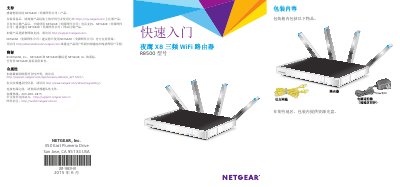

NETGEAR Night Eagle X8 Tri-Band WiFi Router R8500 Quick Start Guide - cover page
Brand
NETGEAR
Category
Router
Document type
User Manual
Language
Chinese
Pages
22
File format
PDF
File size
2.4 MB
Published
26 October, 2022
Updated
28 September, 2023
MD5 checksum
2F8EEC2EE95607426A25392C383B172C

About this manual

This guide provides instructions for setting up the NETGEAR Night Eagle X8 Tri-Band WiFi Router R8500. It details the contents of the package, hardware features including LED indicators and ports, and the steps to install and connect the router to your network. This manual is written in Chinese.

What's inside

  • Package Contents
  • Hardware Features
  • LED Indicators
  • Router Installation
  • Connecting Devices
  • WiFi Setup
  • Remote Access

Frequently asked questions

What items are included in the package for the NETGEAR Night Eagle X8 Tri-Band WiFi Router R8500?

The package includes a router, an Ethernet cable, and a power adapter.

What are the default login credentials for accessing the router's web interface?

You must enter admin as the username and password as the password.

How do you turn on or off the 2.4 GHz, 5 GHz 1, and 5 GHz 2 WiFi wireless communications?

Press the WiFi button for two seconds to toggle these wireless communications.

Download PDF (2.4 MB)

More NETGEAR Manuals


View all NETGEAR manuals →