
Key facts
Start here
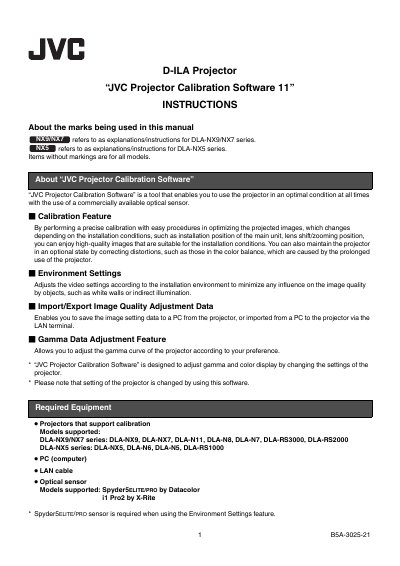
JVC Projector Calibration Software 11 User Manual
This manual provides instructions for the JVC Projector Calibration Software 11, a tool designed to optimize projector performance using a commercially available optical sensor. It supports the DLA-NX9/NX7 series (DLA-NX9, DLA-NX7, DLA-N11, DLA-N8, DLA-N7, DLA-RS3000, DLA-RS2000) and the DLA-NX5 series (DLA-NX5, DLA-N6, DLA-N5, DLA-RS1000). The software enables precise calibration of gamma curves and color balance to maintain high-quality images under various installation conditions.
Read onlineJVC Projector Calibration Software 11 specifications
| Supported Projector Models (NX9/NX7) | DLA-NX9, DLA-NX7, DLA-N11, DLA-N8, DLA-N7, DLA-RS3000, DLA-RS2000 |
|---|---|
| Supported Projector Models (NX5) | DLA-NX5, DLA-N6, DLA-N5, DLA-RS1000 |
| Required Optical Sensor for Environment Settings | Spyder5 ELITE/PRO by Datacolor |
| Required Optical Sensor for Color Calibration | i1 Pro2 by X-Rite |
| Minimum Memory Requirement | 1 GB or more |
| Minimum HDD Requirement | 256 MB or more |
| Required Software Framework | .NET Framework 3.0 / 3.5 |
All JVC Projector Calibration Software 11 documents by type
Day-to-day operation, settings and troubleshooting. Start here if the product is already set up.
Questions answered in these manuals
What operating systems are supported by the calibration software?
The software supports Windows 7 (32-bit, 64-bit), Windows 8 (32-bit, 64-bit), and Windows 10 (32-bit, 64-bit).
Is the software compatible with Macintosh systems?
No, Macintosh systems are not supported by this software.
Which projectors support calibration with this software?
The DLA-NX9 series (DLA-NX9, DLA-NX7, DLA-N11, DLA-N8, DLA-N7, DLA-RS3000, DLA-RS2000) and the DLA-NX5 series (DLA-NX5, DLA-N6, DLA-N5, DLA-RS1000).
What equipment is required to use JVC Projector Calibration Software?
A supported JVC projector, a PC, a LAN cable, and a supported optical sensor (Spyder5 ELITE/PRO by Datacolor or i1 Pro2 by X-Rite).