
Quick start guide for Dell XPS 8700 series computer.
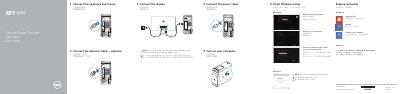
This guide shows how to connect the keyboard, mouse, optional network cable, power cable, and display, then turn on the computer and finish Windows setup. It includes separate Windows 7 and Windows 8 setup steps, plus security, update, and resource information.
The guide also provides a numbered feature diagram for the computer's ports and components and lists Dell support, manuals, regulatory compliance, and contact resources. This manual is written in Chinese.
| USB 3.0 ports (front) | 2 |
|---|---|
| USB 3.0 ports (rear) | 4 |
| USB 2.0 ports (rear) | 2 |
| Audio ports | 6 |
| Expansion-card slots | 4 |
| Optical-drive covers | 2 |
Connect the display to the discrete graphics card.
No, do not use the @ symbol in your password.
Click Start, then All Programs, then Dell Help Documentation.
Visit dell.com/support and dell.com/support/manuals.