
Key facts
Start here
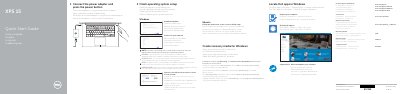
Dell XPS 15 (XPS 9550) Laptop Quick Start Guide
This Dell quick start guide for the XPS 15 (XPS 9550) laptop shows how to connect the power adapter and press the power button. It then covers finishing operating-system setup for Windows or Ubuntu, connecting to a network, signing in to a Microsoft account or creating a local account, locating Dell apps in Windows, and creating recovery media for Windows.
The guide also lists laptop features such as the camera, power-adapter port, USB 3.0 ports with PowerShare, HDMI port, Thunderbolt 3 port with power delivery (USB-C), headset port, SD-card slot, battery-status controls, security-cable slot, power button, service tag label, and regulatory label. It includes shortcut keys and Dell support, contact, and regulatory web addresses.
Dell XPS 15 (XPS 9550) specifications
| Regulatory model | P56F |
|---|---|
| Regulatory type | P56F001 |
| USB port | USB 3.0 port with PowerShare |
| Video port | Thunderbolt 3 port with Power delivery (USB-C) |
| Card slot | SD-card slot |
| Security slot | Security-cable slot |
| Battery control | Battery-charge status button |
All Dell XPS 15 (XPS 9550) documents by type
The shortest path to a working setup, usually only a few pages.
Day-to-day operation, settings and troubleshooting. Start here if the product is already set up.
Questions answered in these manuals
How do I turn on the Dell XPS 15?
Connect the power adapter and press the power button.
How do I create recovery media for Windows?
In Windows search, type Recovery, click Create a recovery media, and follow the instructions on the screen.
How can I check the battery level?
Press the battery status button to light up the five battery charge status indicators.
What is the power adapter output voltage?
The rated output voltage is 19.50 VDC.
How do I create recovery media for Windows on the Dell XPS 15?
In Windows search, type Recovery, click Create a recovery media, and follow the on-screen instructions.
What should I do first to set up the computer?
Connect the power adapter and press the power button.